QB Express

Issue #23  ~  August 13, 2007

"A magazine by the QB community, for the QB community!"

In This Issue


From The Editor's Desk

Written by Pete

Hello there, folks! Pete Berg here again, with the 23rd issue of QB Express! I apologize for the slight delay (this issue coming out in August instead of July), but I decided to go on a 40-day cross country roadtrip with some of my friends from the end of June until just a few days ago. We traveled from the Atlantic coast near Boston to the Pacific Coast in California, and just about everywhere in between -- including a dozen national parks and a ton of other attractions. Aside from when I almost died of dehydration on a hike to the bottom of The Grand Canyon in 111° Fahrenheit heat, it was a great trip.

Anyway, Issue #22 came out in June, and frankly, it was a sub-par issue of QB Express. It was missing a lot of regular sections (like Gallery, Poll and Monthly Awards); I neglected the Qlympics; and we hardly even bothered reporting the news, and what was there was horribly out of date. The reason was because I had been sitting on that issue for nearly a year, and seeing as how I had some free time and the Qmunity had slowed down, I decided that it was time to resurrect QB Express.

While #22 was shoddy product, and was thrown together from stagnant content, this issue is a complete reversal. Everything that was missing from the last issue is here...and more! I spent a ridiculous amount of time compiling the news, gallery and getting the Qlympics back on track, and now I think I can officially say: QB Express is back, baby!

I hope you enjoy all the articles, news and tutorials, as well as our biggest comics section ever. Also, please vote in the Qlympics. We are now in the final round of voting, and every vote counts. Make sure the most deserving nominees get the prize.

So go to it! Read and enjoy!


Submit To QB Express

This magazine can't exist without people SUBMITTING articles, editorials, tutorials, reviews, news and feedback. This is not just a solo effort by me... it's a group effort by people throughout the QB community. If you have anything to submit, or have time to write something, DO IT!

If you want to write about something, but can't think of a topic, or need inspiration, check out the "Official QB Express Article Requests" thread! There have been quite a few articles requested -- and even if none of them strikes your fancy, we can help you come up with something that you would like to write about. If you're interested in getting your own monthly column or just want to write an article or two, by all means, do it! Anything that is submitted will be included!

I also want feedback and letters to the editor regarding this magazine. I want suggestions and critiques. What do you like? What don't you like? What could be done better? Let me know!

All submissions and feedback can be sent to qbexpress@gmail.com. You can also PM me on the Pete's QB Site or QBasic News message forums. If QB Express is going to continue to be so good, YOU need to contribute!

-Pete


Letters

Letter From Stoves

Congratulations on another great issue of QB Express, Pete! I completely agree with you that QBE worth keeping alive. Thanks for all your hard work and commitment to the Qmunity! I’m sure the excellent idea of spreading the responsibility for the monthly magazine will only serve to strengthen the publication. Thanks to Imortis and MystikShadows for stepping up to help out. Just wanted to express gratitude from a frequent reader. Keep up the good work!

Stoves

Thanks, it's great to be back! And judging by the overwhelming number of submissions this month (you guys really came through in the last few days before...and after...the deadline), this is one of our best issues ever.

-Pete


Leter From E.K.Virtanen

I am extremely glad to see QBE back. You guys are doing a awesome job. QB/FB communities with out QBE...well, something was just missing but with your work here, pieces are coming back in their places. Thanks for your efforts and may the life of QBE be long as possible.

Short brief about PCopy! emagazine: It's still alive but since stuff around it is way too busy, we have alternative ways to handle and maintain it. Im sure in month or two, something about PCopy! is posted at boards.

Good coding and piece for all. Remember, programming can be fun, even with limited skills :)

E.K.Virtanen
ASCII-World

Thanks for the kind words. As for PCopy!, I hope you guys manage to continue that magazine as well. The way I see it, the more mags, the merrier (plus, who doesn't like some friendly competition?)

-Pete


Letter From Seb McClouth

Hey guys,

I made a promise and a promise is a promise.

It’s has been silent around Qbinux. And I think it also has to a bit with the suddenly disappearance of the QB Express.

Well anyways, it’s good to have it back and have you back Pete. It’s been to silent.

I think it’s really a good thing you trying to keep up the QB-spirit. FB-ers, don’t kill me on this one! We’re all Basic- programmers under the skin, right?

I’m currently trying to get some skills on 3d stuff. For a couple of reasons:

  1. creating a 3d file manager for dos
  2. doing up some experience for a UGL-thingy for the GUI of Qbinux
  3. maybe making some games

Well guys (yeah, you’re not alone on this anymore Pete) keep up the good work and remember that you guys are keeping the BASIC-spirit alive!!

Grtz

Seb

Well, I'm glad to hear from you again! I agree about the silence that a lot of the smaller programmers experienced after QB Express went on hiatus. There were a lot of people who used QB Express to spread the news and information about their projects, and without it, they were left without much of a voice -- or much motivation to continue. People were only finding out about the biggest projects (like Lynn's Legacy and Kart), because nobody was reporting the news. QB Express is all about reporting on everything that's going on in the Qmunity, from both the big guys and the little guys.

-Pete


Have a letter for the editor? Send all your rants, raves, ideas, comments and questions to qbexpress@gmail.com.


Express Poll

Every issue, QB Express holds a poll to see what QBers are thinking. The poll is located on the front page of Pete's QBasic Site, so that's where you go to vote. Make sure your voice is heard!

Should QB Express have a poll this month?

GenreVotesPercentGraph
Yes00%
No1100%
1 Total Vote

Whoops, someone forgot to post a new poll this issue...I guess we're still getting back into the swing of things.

Be sure to vote this month in the final round of the Greatest QB Developer of All Time tournament, on the front page of Pete's QB Site.


News Briefs

News from all around the QB community, about the latest games, site updates, program releases and more!

QB Site News

Lachie Launches the FreeBasic Games Directory

Lachie Dazdarian, the guy behind the QBasic Games Directory of last year, recently launched The FreeBasic Games Directory. This fantastic website features downloads, ratings, information, and screenshots for every substantial FreeBasic game that has been released (currently, 61). The website also allows users to rate and comment on all the games, though for its official ratings, the site relies on a small staff. Additionally, if there have been any reviews written about a game anywhere, the site links to them.

The FreeBasic Games Directory is already an invaluable resource, and is extremely well-executed. We're all indebted to Lachie for launching this site.

News Brief by Pete


Forums in Flux

This past month, we've seen a lot of moving and shaking in the QB/FB forum communities -- and luckily, most of it has been for the better.

QBasic News

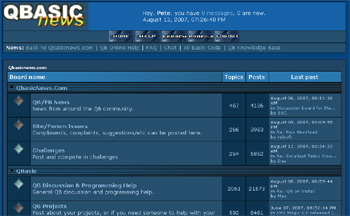
In the past year, QBasic News has seen a steady decline in users, and a steady increase in spambots and human spammers (who were generally overzealous FreeBasic activists). This drove users away in droves -- but unfortunately the moderators in charge were powerless to stop the abuse. Site owners Sumo Jo and Wildcard had long since abandoned the site, and left nobody with the authority to modify or upgrade the forum software. The moderators were stuck; they could only control the forum through the mediocre PHPBB admin page -- and it wasn't helping. So, in what many felt to be an overzealous move, moderator Zap first disabled all new registrations, and when the spam and flaming continued, he posted a message that the forum was to be shut down entirely.

QBN Users were given a few days to say their good-byes, and then Zap disabled posting in every forum on the site. It looked like QBasic News, the former hub of the Qmunity, was finally dead. But, like a pheonix rising from the grave, former admin and site owner wildcard emerged and brought the forum back to life. He upgraded the forum software to SMF from PHPBB, gave the site a makeover, and has begun a process to improve the QBasic News design, so that its other content is more accessable. All of the old posts and user accounts are still accessable at the QBasic News forum.

This is great news. QBasic News is an incredible resource, and with this much-needed maintenance, its forum community can begin to prosper again.


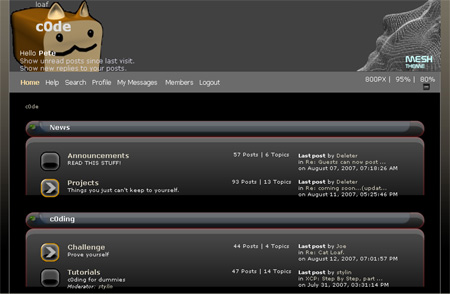
Freebasic.net and c0de

Several flamewars have erupted over the past few months at the Freebasic.net forums, and head moderator Cha0s has stepped in to prevent them, locking countless active topics, and ending several heated debates. Many FB.net visitors felt that this was unecessary censorship and an abuse of power, and some users spoke out. Among them was Z!re, the outspoken FB.net member, and last month, Z!re and cha0s found themselves in a personal feud on the Freebasic.net Off-Topic Forum.

In order to stop these debates that he did not approve of once and for all, Cha0s decided to shut down the Off Topic forum entirely. His reasoning was: "The Off-Topic forum has been removed due to its abuse. We wish to keep the site as professional as possible, and there is no room in that specification for what the Off-topic forum had become."

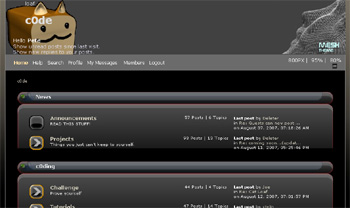
Meanwhile, a few weeks beforehand, Cha0s decided to launch a new forum with more lax rules called c0de. According to cha0s, "The main focus [of the forum] is totally off-topic discussion, in addition we will not censor swearing or tastefully nude pics if you choose to post them."

c0de has already developed an active community of posters, and there is a lot of FreeBasic-related discussion going on there.

One interesting thing about c0de is that new users must be personally approved by Cha0s before they may post, a rule presumably made to prevent known spammers and undesirable users from registering. Unapproved users may post only in the "spam" section. (For this reason, it seems to me that c0de may not be as free and uncensored as Cha0s bills it to be, but at least everyone seems to get along.)

News Brief by Pete


News from the QBasicNetwork Administration:

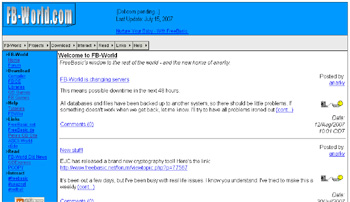
I am closing down the main site, now administered by Phalaris Entertainment. All sub sites including BlobWorld Comics, QBNetwork Stuff and the brand new FB-World will be moved to their own domains by the end of the September 2007.

On a higher note, I wish to announce that FB-World.com will take it's place as my new home and (hopefully) a very friendly window for the world to see what FreeBasic is and why they NEED to have it.

As for games, in issue #16 (I think) We announced that work on 'Legend of Aquarius' had commenced. At this stage, the project is halted due to real life issues involving family life and court proceedings. If all goes well, By the end of September 2007, work will commence once again on it.

'Genesis' has been dropped. why make an RPG engine so complex if only you will use it? Nobody was interest in it, since they wanted to make their own engines.

'Orbs of Infinity' will also be made, but not until 'LoA' is finished. It will no longer be as huge as originally planned, but should offer a good 20+ hours of solid gameplay. This means the scripting has to be stripped down by about 75% - yes, there was a lot of it. Perhaps in the distant future a 'Director's cut' will emerge...

The project known as Brainfreeze is nearly finished, but I haven't had time to work on it as I mentioned before. I have been doing other stuff online also to hone skills needed to finish it.

A new IRC network has been created, consisting of 5 or 6 servers, myself one of them. It's called SpazNet, headed by Jake Myers, aka spaz. irc://irc.spaznet.net/spaznet ... We welcome your custom.

Also home to this network is RedBall, my new IRC bot - a bot designed for the masses. You will periodically see it in action on SpazNet. Just /msg $$$ .

That about wraps me up for the last few months, and hopefully for the next few. I will also try to be an active contributer to QBExpress once again.

Just for now, you can see what goes on in my life at http://www.qbasicnetwork.com/fbworld. I look forward to your custom.

anarky - "Screwing with your reality since 1998."

News Brief by anarky


ASCIIWorld News Wrapup

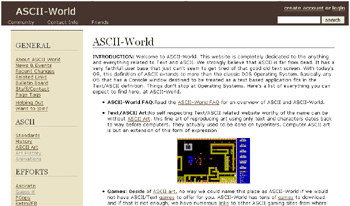
You have probably noticed that ASCII-World moved to WikiDot wiki software and hosting. Now anyone is allowed to edit and add contents there, only simple registering is needed. Its only for to avoid spam, and im sure peoples understands this.

I also started an Retro2FB site few months ago. I got nearly 20 old classics ported to FreeBASIC but then i moved over 200km and i was offline nearly two months.

Now, Retro2FB is combined as part of ASCII-World, since idea and purpose of it, fit's at ASCII-World like a nose in a head.

E.K.Virtanen
ASCII-World

News Brief by lurah


Pritchard's Publishings -- Is a new FB magazine on its way?

Pritchard's dislike for QB Express is no secret. Upon QB Express #22's release, he posted such things as "fuck your QB magazine," and "I wish QBE would just die and get hit by a giant horse, amiright?"

And to top things off, he wrote an editorial this month about how much he hates the magazine, and how it's bad for the Qmunity. (We published it, of course.) Pritchard's opinions are cool with us, and as an "open magazine," we're happy to help spread them. We've also encouraged him on several occasions to start his own, competing publication if he detests QB Express so much.

Well, it looks like Pritchard might finally be taking our advice. A few weeks ago, he created this "Tutorial/Article Request Thread" at the FreeBasic.net forum, where he asked members to request for tutorials, reviews and articles to be written: "If you have a topic that you'd like someone to write a tutorial or article about, please request it here. If you're wanting to write about something, but don't know what, you can look here as well."

Pritchard didn't say what he was going to do with the articles, but it does insinuate that Pritchard might have some plans up his sleeve for his own publication.

He certainly has been active lately, making some magazine-article-like posts (these are all worth checking out):


Pritchard is also the sole contributor to Syn9's hardly-updated FB newsportal / magazine The Freebasic Report. The only new articles on the site since March have been by Pritchard: "FB community news tidbits", "pristd - priVect2D: A simple 2D Vector Class" and "FBgfx - More Flexible Than you Thought".

Pritchard has said in the past that he was working on some sort of FB news portal or magazine, and admitted that he was disheartened when QB Express returned. Well, judging by all the great articles he's written lately, maybe he is ready to create a zine. If that's the case, we wish him luck. Anything it takes to get news, articles or tutorials published in this community is a good thing, and we are hardly worried about competition. Can't we all just get along and work toward the greater good (supporting the community)?

News Brief by Pete


A Few New Sites & Forums

  • QBasics Español
    QBasics Español is a new barebones QB site, available in both Spanish and English, hosted by PhatCode.

  • Eternal Journey Forum
    SSC, the head honcho of SmithCoSoft, recently announced that he has opened a new forum for his RPG, Eternal Journey. There hasn't been anything new about the game's progress since early this summer, but if you want to talk about it, visit: http://forums.smithcosoft.com/

  • The QuickBasic Forum
    George Williams and a few of his friends have launched a new QuickBasic forum, called simply, The QuickBasic Forum, at: http://quickbasicforum.eamped.com/, which has a few very active users, who have begun a process of reposting all of the tutorials at my site, Pete's QB Site, in their forum. But hey, if you want to talk about QB, you might as well check it out.


Project News

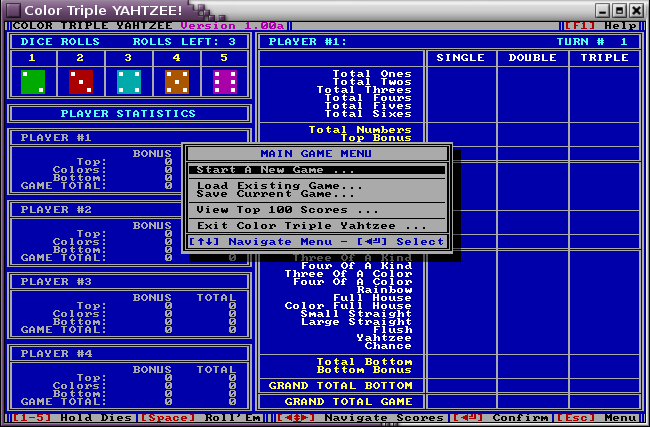
Color Triple YAHTZEE!

MystikShadows has released a FreeBasic textmode version of the popular dice game Yahtzee! You can download it from the ASCII-WORLD website (scroll to the bottom). If you're a fan of Yahtzee, it's definitely worth checking out. Here's some info from MystikShadows:


Color Triple YAHTZEE! is more than a new version of a now classic dice game, it's a portal into the twisted mind of it's creator (namely, me! ;-) ). So take a look, give it a try and let me know what you think. I don't believe there's any problems with it so if you notice something, let me know so I can correct it.

You just need to take a look our last games page (page 3) right here.

    MAIN FEATURES:

    * 1 to 4 players can play at a time.
    * Dice Face value AND Color of the face come to play in this game hence new scoring possibly are available.
    * Added to the first feature 3 columns (SINGLE score, DOUBLE Points and TRIPLE points) for higher scores.
    * Any and all possible scoring options are automatically evaluated and shown to you on the scoreboard for selection.
    * You can save your current game (should you need to) and come back later to finish it.
    * It keeps track of the top 100 scores you made and allows you to view them at any time from the main menu.

The title page is 95% EK's creation, the rest is my two cents ;-) but I love how it looks hehe.

Let me know what you think when you get to try it.

MystikShadows

"Fighting For The Rights of Text Games and Application All Over the Net!"

What else is there to say? Yahtzee!

News Brief by Pete


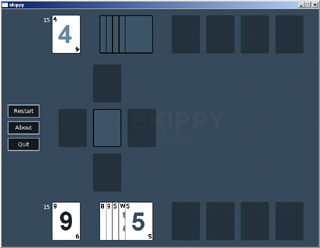
Skippy! - A FreeBASIC Card Game

Speaking of parlour games, subxero recently released a FreeBasic adaptation of the popular card game Scip-Bo, entitled Skippy!

"Skippy is a complete PC version of the card game, Skip-bo. It is written to be portable between both Windows and Linux, and utilizes pleasing graphics and smooth animations to increase the positive feel of the program."

Skippy hasn't yet been optimized to run on faster or slower computers, but according to subxero, an updated version should be coming soon.

For more info, or to download the game, visit the official site.

News Brief by Pete


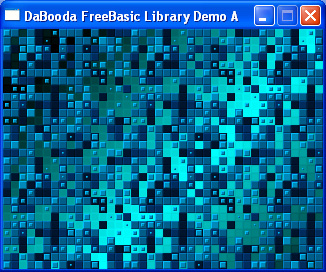
DaBooda OldSchool Gaming Library

DaBooda is working on a self-titled library for all your FreeBasic gaming needs. He recently posted a small demonstration of the lib's capabilities, and it is very impressive.

"It's basically a library that gives the programmer a structure for programming video console type games, think super nintendo. The plus is it is object oriented so several addons can be programmed separately which will be a big bonus and allows the individual to customize it to their game."

Check out the features list:

Features
- Resolution can be any supported
- Emulated Resolution 320x240max - 8x8min
- Full Screen or Windowed
- Custom Palette with 256Colors, up to 262,144 total colors
- Keyboard or Joystick support(Directional and 8 buttons)
- Four Character Maps(any size and dynamic)
- One Effect map, for cool scrolling effects and overlay
- Eight TileSets(255 tiles each)
- Up to 1024x8x8 Sprites on Screen
- Many features will be done in seperate libraries that you can add on to your project...

More information about the DaBooda OldSchool Gaming Library can be found at the official site.

News Brief by Pete


Dr_D Posts Movies of Robo-Raider and Kart

Dr_D and Rattrapmax6 are collaborating on two awesome-looking 3D games, which by now I'm sure you've heard about, and maybe already tried out. Anyway, he recently released full-motion videos of each game, which you should definitely check out:

Robo-Raider: http://www.bes.pbasichasnoballs.com/wiki/images/Movie.wmv

Kart: http://www.bes.pbasichasnoballs.com/wiki/images/kart_movie.wmv

News Brief by Pete


Qbinux Updates

Ah well. I’ve gotten my hands on a program that translates C to VB. So, this means that Qbinux contains more Linux- code then ever before.

The file-system is still a pain in the butt. I’m planning on using some Novix code for that matter. The main core, without the FileSystem, MeMory, etc stuff is working according to plan. As before it is able to show a somewhat boot up, and retrieving some hardware stuff. As I might have said before about some QFS (Qbinux From Scratch)-project, that’s what I’m working on. This gives also a lot of less stress.

In past QBExpresses were some stuff about a multitasking core. I’m also working on that matter to implant that as well.

I can’t give an exact date for a beta of a somewhat full version but I’ll post a beta of what I currently have.

If you go and test the thing, please let me know what you think and if you think it needs adjustments, let me know.

News Brief by Seb McClouth


Games! Games! Lots of Games!

There have been a HUGE number of games released since QB Express last (adequately) covered the news, and I'm not going to try to go back over the last year and cover everything. However, I thought I'd voer a few of the best games released over the past two months or so. (Thanks to the FreeBasic Games Directory for most of the screenshots.)

(For a look at unfinished / upcoming games, look at this month's Gallery, which features SEVEN different games...complete with screenshots, of course.)


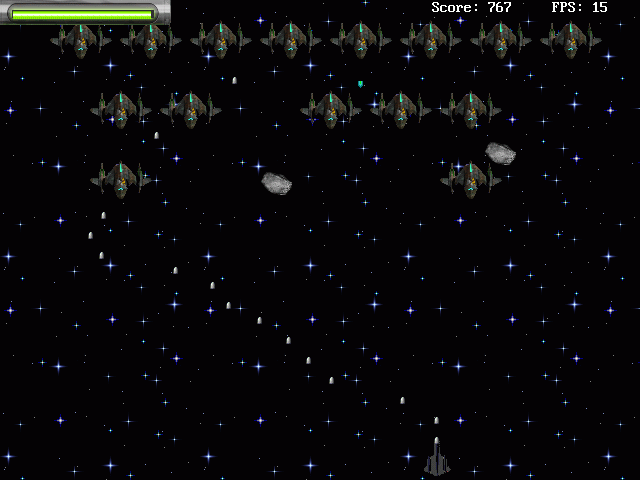
Lodestar by ShenZN

"An arcade game to subjects of the cosmic fighting. She consists of five levels, which do not similar the friend on friend by its playing process. In them to be kept the elements of the different plays such as Asteroids, Lander and others. On plot you ordinary warrior to empires Lodestar, which there is get through many obstacles and rescue the world from extraterrestrial invader. All that occurs on screen during play is closely connected with plot."


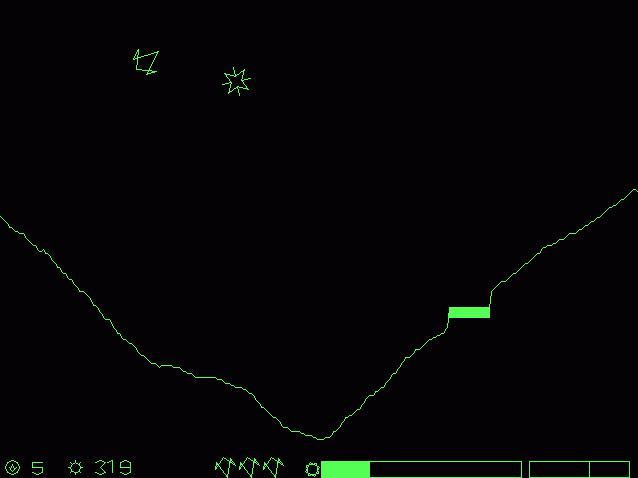
Lander by Redcrab - (A Cute Short Game Project)

"A rather nice variation on the classic Lander game with really cool old-style two-colors graphics and nice rotation/zoom in/zoom out effects."


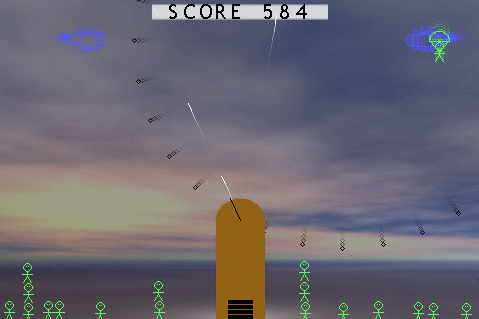
Parachuters by Kristopher Windsor

"ParaChuters is a fun mini-game where you control a cannon with a mouse and shoot at the passing helicopters that drop parachuters. Very good gameplay, below average graphics, save high scores table feature with challenging scores to beat, nice music and non-intrusive sound effects."


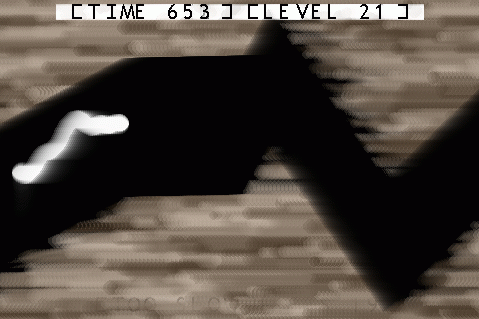
Dark Spelunker by Kristopher Windsor

"Dark Spelunker is a SFCave clone. A similar game entitled UrthWurm exists for PC (DOS version). It’s a simple game where you guide a worm with one key, changing its direction toward up by holding the action key, while gravity pulls the worm down when you don’t hold the action key. Interesting graphics (but very small amount of it), save high score feature, no sound or music, and not so good gameplay."


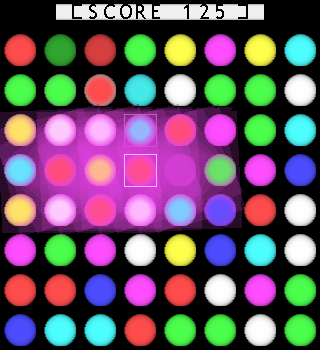
BeGemmed by Kristopher Windsor

Yet another game by Kristopher Windsor! This one is a "BeJeweled" clone.


Competition News

ciw1973's Primitive Graphics Competition - With $200 cash prize!

There's a very interesting and successful competition going on at FreeBasic.net at the moment, hosted by ciw1973. Here's the description from the forum topic:

I'm a big fan of minimalism in games (and small downloads) and I notice that recently KristopherWindsor has posted a couple of his creations in which all of the on-screen graphics are drawn using the primitives of fbgfx2.

So, I propose a competition where everyone has until 11.59pm GMT on the 31/07/2007 to write a game using no "pre-drawn" graphics, just what can be created in code. To make it more interesting I'll be offering £100 (roughly $200 / EUR150) as a prize for my favourite game.

Competitions with actual prizes are few and far between in this community, especially ones with substantial cash prizes. The promise of money, along with the interesting premise, made this one of the most successful competitions of recent memory.

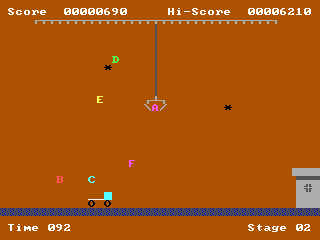
Mighty Line by Lachie Dazdarian Crane by ChangeV
Screenshots of two entries, by Lachie Dazdarian and ChangeV.


Though the deadline has already past, as of August 13th, there was a very respectable seven entries:

    ENTRIES:
  • Laser Pipes - Mlok
  • Mighty Line - Lachie Dazdarian
  • Text Fighter Alpha Ex - sir_mud
  • Crane - ChangeV
  • Space Arena - Barok
  • Zonaxtic - KristopherWindsor
  • Path of Revolution
  • CATLOAF 2600 - radicoon

The results have not yet been revealed, but ciw1973 is actively judging the competition (which has gone a bit over schedule). The prize should be awarded in a few days. According to ciw1973, the results are very promising:

I'm not going to give anything away, but would just like to say how much I've enjoyed playing all of the games, and four of them in particular have held a good deal of replay value for me.

It's pretty close, and I've had to resort to a proper scoring system when I was drawing up my initial rankings to be sure I was being fair, and this is why I'm going to wait until I get feedback from the entrants before making a final decision to ensure that I've simply not misunderstood something about their game which may make a difference to the scores.

No matter who wins, all of the entries are very cool mini-games. Be sure to check them out!

News Brief by Pete


Cat Loaf Competion at c0de

The guys at c0de have begun an interesting game programming competition starring their mascot character...Cat Loaf! Here's some more on the competition:

You must create a game, in which Cat Loaf Cat Loaf is the main character. There must be a story line, which depicts Cat Loafs history. This can be told at the introduction or revealed throughout the game. Any style of game may be created. Any language can be used, preferable FreeBASIC.

A due date can be decided by evr'body.

When you are done with the game, post a link to download the source (along with any extra data/sprites ect) and a compiled exe.

When the due date arrives, we can vote on a winner.

GO FOURTH! FORTH!

Judging by the CATLOAF 2600 game entered in the previous competition, it looks like something will come of this one. Meow!

News Brief by Pete


Have some news to report? Email it to qbexpress@gmail.com!


Qlympics Voting Round

Organized by Pete


You thought it was dead. Well, think again!

It's been well over a year since we started the Qlympics 2006, and we probably should rename our QB/FB awards ceremony Qlympics 2007 at this point....but we're not going to. We're going to finish up the 2006 awards as-is, so that we can give recognition where recognition is due. As a reminder, this competition was open to any QB or FB game released between January, 2003 and July, 2006. So don't go complaining that games released in the last year are not on the ballot! (That's what the Qlympics 2008 is for, heheh.)

Where we stand

We have completed two NOMINATIONS rounds, where members of the community were able to nominate and vote for any game or program that they felt were deserving of awards. I spent an excruciatingly long time tallying up all of those votes, and getting rid of fraud ballots (I really should have created some kind of automated system, heheh), and now we have our final nominees! The community has spoken.

Votes will be accepted starting NOW, until the time that QB Express #24 is released (sometime in September). The final results of the Qlympics will be awarded in QB Express #24.

So what are you waiting for? To see the nominations and to vote, all you have to do is fill out...

Qlympics 2006 Voting Ballot

May the best programs win!


Questions or comments? Email pberg1@gmail.com!


Gallery

Written by Pete

Every issue QB Express features a preview and exciting new screenshots from an upcoming QB game. If you would like your game featured, send in some screenshots!

This particular issue, we're featuring screenshots of EIGHT different games from all over the QB/FB scene, since it's been so long since I've written a Gallery. Enjoy the screens!


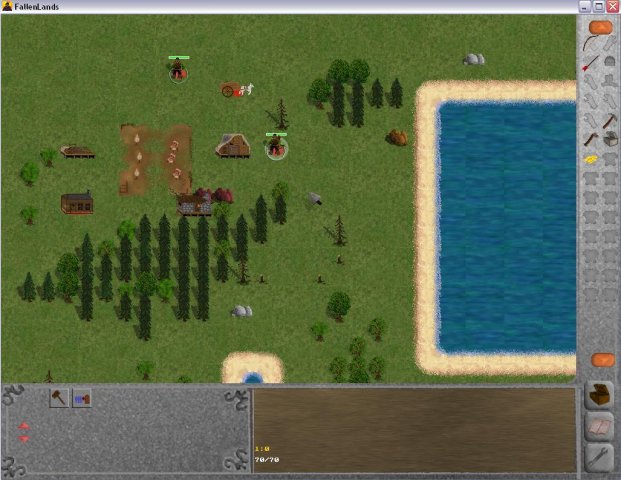
RTS: The Fallen Lands of Old by inded005

"The Fallen Lands of Old: A Real Time Strategy game programmed in pure FreeBASIC. This game aims to employ completely new concepts and a great story for a fresh gaming experience, rather than relying on flashy graphics etc."


Forum Post: http://www.freebasic.net/forum/viewtopic.php?t=7490

Official Site: http://sourceforge.net/projects/fbtfloo/


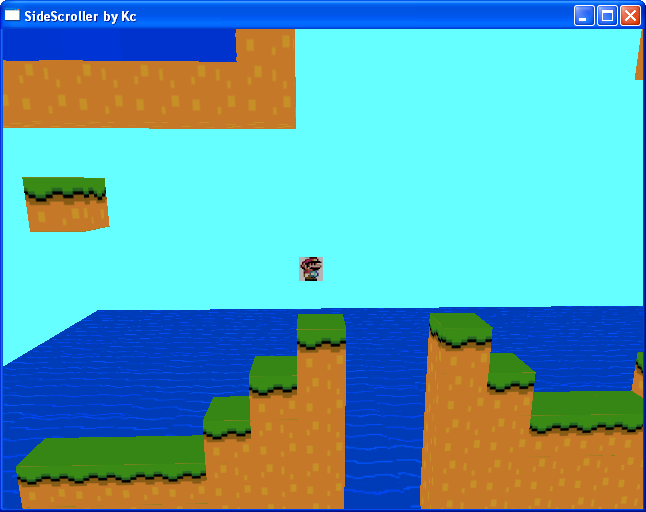
3d Side Scroller - Kcproductionz

"Well I started messing around with OpenGL a few days ago and here is what I've got so far. Ignore the mario picture, Im going to be changing that to a model of my own in the near future."

"Touching the water kills you, the objective is to get the crystal (flashing box =P), and it should be fairly easy as I increased how high you can jump for testing purposes."


Forum Post: http://www.freebasic.net/forum/viewtopic.php?t=9017

Download: http://www.kcdan.com/uploads/archives/SideScroller.zip


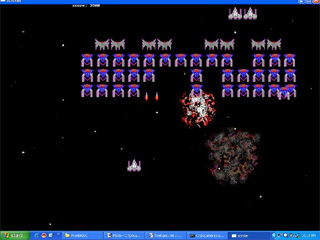
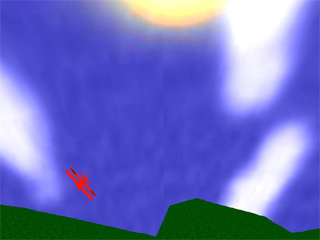
Ghosts of Galaxian & 3D Walkaround/Flyer by thesanman112


Ghosts of Galaxian - http://www.freebasic.net/forum/viewtopic.php?t=8977

3d walkaround & flyer - http://www.freebasic.net/forum/viewtopic.php?t=8976


1945 Shooter Game by dreamerman

A 1945-style vertical scrolling shooter.


Forum Post: http://www.freebasic.net/forum/viewtopic.php?t=8768

Download: http://www.dream27.webpark.pl/1945.zip


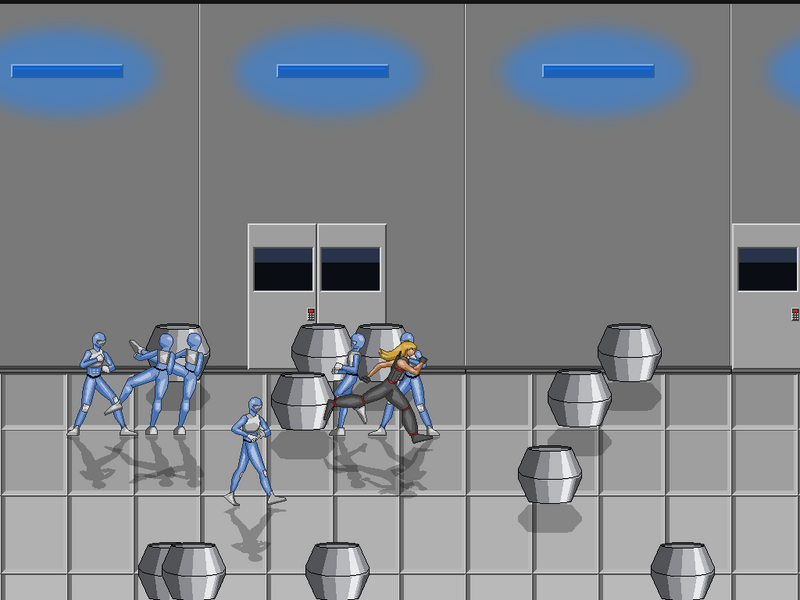
Side Scrolling Beat'em'Up by Rokkuman

"hay guys! Haven't been here in a while, and it looks like quite a few others are sharing that in common with me. But ANYWAY, I'm in the middle of yet another game project, which is not a fighting game this time, but actually a side-scrolling beat'em'up with RPG elements and all that good stuff. The engine is programmed in front of SDL and OpenGL (while the promising Cobra re-make only used SDL). This game, like my past failing projects, is coming along fairly well, and I can honestly say that I see it reaching completion, along with the fact that I'm motivated towards such since the college I'm going to in January would love to see it."


Forum Post: http://forum.qbasicnews.com/index.php?topic=12994.0


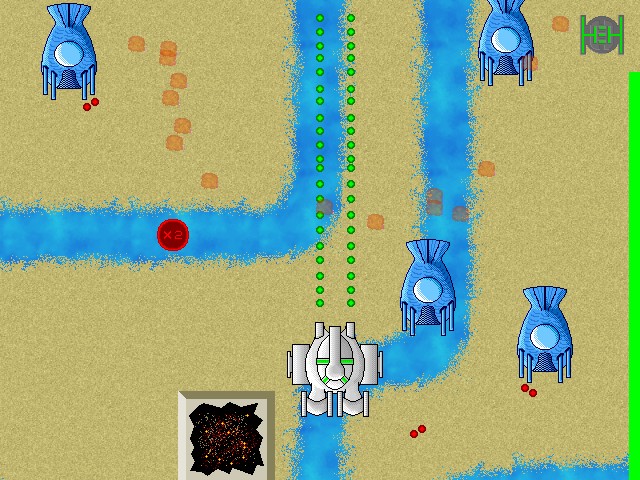
Option V by Deleter

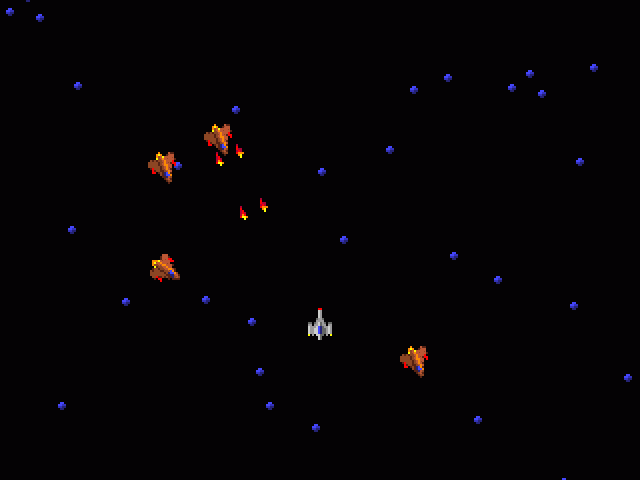
"A retro style 2D scrolling shooter created for the SHMUP-DEV Competition 2k7 Round 2 contest. Classic shoot-em-up gameplay with a twist as your ship has the ability to break down some of its components into autonomous helping "options" which you must retrieve from the forces of chaos."


Forum Post: http://c0de.aknerd.com/index.php?topic=111.15


Have a game in the works that you think is worthy of The Gallery? Email us.


A Response to Z!re's Article in QB Express #22:
A new QB Express Policy

Written By Pete

Last month, we published an article by Z!re entitled "A serious article debating the pros and cons of FreeBASIC". Despite its innocuous title, the article amounted to little more than a nonsensical and highly offensive rant that had little to nothing to do about Freebasic.

Readers went into an uproar about the article, and many people expressed their disapproval and threatened that they'd swear off QB Express for good if we continue to publish this type of content. (I'd link to some of the forum topics where these discussions went on, but unfortunately, Freebasic.net recently deleted its Off-Topic forum, along with all the posts.)

In the past, it has been our policy to publish EVERYTHING that is submitted to the magazine. Previously, this has never been an issue. All of the content that was submitted has been high quality...or at least relevant to QB or FB programming. However, Z!re's article was different, and it wasn't until after the issue was released that I took notice.

Here is our response, which outlines a slight change to our "anything goes" policy. (This article is taken from a series of private emails between myself, the other QB Express editors, and Cha0s, who took special offense to the article as webmaster of Freebasic.net and as someone with a prior history with Z!re.)

- Pete


A Letter from Cha0s

Hello,

This is cha0s. I'd like to talk to you about z!re's psychosis, e.g. long inflammatory rants, with a "false flag" of being an editorial on FB. I think this is quite underhanded and if you want to make FreeBASIC look bad, do some studying and find the flaws in the compiler itself; do it objectively.

If this was not meant as a direct attack on FreeBASIC, then I'll be encouraged to hear the reasoning from whomever made the executive decision to run that "gem".

Contact me, let's talk about it.

-cha0s


Response from Pete, and Our New Policy

Hey cha0s (and Imortis and Mystik),

Sorry it took me so long to get back to you all.

Honestly, I didn't even read Z!re's article before it was published, since Imortis compiled and edited the entire issue. (I just skimmed over it to make sure that the formatting looked right.) I am as much to blame for the article being published as anyone else is, since I am the chief editor and I didn't even read the majority of the magazine. Certainly, I was negligent in that regard.

When I did finally get around to reading it this evening, I can see why there's an outrage. I agree with you that the article is rubbish. Z!re is a pathetic human being with a very bad attitude, and her only goal is to provoke and anger people in order to get attention. I've felt this way about her for quite some time.

But the real question is whether or not we should have published the article. It has been QB Express's policy since issue #1 to publish everything that is submitted, without censorship, whether we agree with it or not. However, we've never had an article like Z!re's before. It is almost entirely off-topic and aside from the title and a few small references, it hardly relates to programming or FreeBasic. Up to this point, every article that was submitted in some way, shape, or form related to programming or the QB/FB community. And that, I feel, is the important detail. Z!re's article is just an insane rant, designed for the express purpose of offending people who are easily offended, and has nothing to do with FB or programming. And for that reason, I feel like it does not belong in QB Express.

Our new policy: QB Express will publish everything that is submitted, so long as it relates to programming or the online programming community.

This DOES NOT mean that we will restrict publication of articles based on LANGUAGE, CONTENT or INTENTION. If Z!re's article had been partly or mostly about FreeBasic, and still had her rant about "jewboys" and the huge "FUCK YOU" at the beginning, it would still qualify for publication. (Side Note: This doesn't mean we will fall for loopholes. We're not stupid. We're not going to let a ten page article that has one line about FB tacked on, get published. But if the article is mostly about programming, it deserves to get published.)

By this new policy, Z!re's article would NOT have been published in QB Express #22. However, now that Z!re's article has been published, we will also NOT remove / ban the article retroactively.

As long as I am in charge, QB Express will be a programming magazine that steadfastly respects everyone's right to free speech, whether or not it will offend or provoke the public. However, we also can't forget that our subject matter is "programming."

Thanks,

Pete


Denoument

Just in case anyone's wondering, this policy has had absolutely no effect on the magazine thus far. Everything that was submitted for issue #23 was included, all of it was relevant to BASIC programming, and not a bit of it is the least bit offensive. I wouldn't be surprised if Z!re's article was a one-time thing.


Have an opinion on this? Email us at qbexpress@gmail.com!


Best GUIs of the Modern Era

Written By Brandon Cornell

I decided to write this because me and my friend were talking about the best English GUIs of the Modern era (Post 2004) and I thought I would write something about all the GUIs and their influence and power. I wrote comments on all the GUIs and I contacted a few people to also comment on some. The rank is based on the opinions of me, Todd Suess, and Murray Parkinson and a recent poll at BrandonCornell.com.


  1. Fun500 GUI-

    My GUI.It had humble beginnings, as I didn't know much graphics or fancy commands, it started as a spaghetti coded keyboard controlled desktop with a few crappy apps. Then evolved to have a mouse and sidebar to windows and objects to where it is know in FB with a Scripter. It was the first BASIC GUI to load BMP themes. In GUI Awards 2005 Fun500 GUI 1.0 took 2nd.

    "It rocks"-

    Murray Parkinson, Author of DC-OS


  2. M-OS

    Has been around for some time. It was dropped by the original author and picked up by Todd Suess. It only can run one app at a time and is ridiculed for using to much of other peoples code. In GUI Awards 2005 M-OS 2005 took 1st.

    "It sucks"-

    Murray Parkinson, Author of DC-OS

    "Since 2003, I've been obsessed with GUIs. Like a painting or a work of art, GUIs have always fascinated me with their user interfaces, colors, widgets, and much more.

    It all began in 2003 when I first found QB 4.5. I already knew there was a QBasic, but I knew it couldn't do much since it was more of an interpreter than a compiler. So when I had QB 4.5, I wanted to look for websites that had code for it. And I came across GUIs such as QBF OS 99, M-OS, GIMI, and more. Some other GUIs were made in other programming languages such as C++, Pascal, and even Assembly. I wanted them all. Around the summer of 2003, I had almost every GUI I could find on the internet. There were some that once existed but were no longer available which kept driving me to find them even more.

    Around the beginning of 2004, I became interested with the "anatomy" of a GUI in QB. So I found M-OS, which was my favorite, and looked at the source code to see how it worked. I tried compiling it in QB, but I couldn't get it to work since I wasn't using any libraries when loading QB. So when I got it to work, it was just graphics and no interface. Since M-OS depended on a mouse to function, there was none implemented since I didn't know how to load the QB library in M-OS. After finding another GUI's source with instructions (i.e. loading QB with "/L") I finally got the GUIs to work. Some of them I had never found out what they looked like since I didn't know about the "/L" switch in QB, and so seeing them for the first time was like a surprise and excitement you might receive on your birthday or Christmas.

    When I finally got my own internet connection, I start surfing the web for GUIs and their websites. I found out that most were unchanged since 2001 or just ceased development. I was really disheartened since I thought more GUIs would've been developed. So I decided to use M-OS as my project and improve the desktop and interface. In the beginning, it wasn't much I started by adding little things like background loading BMPs and adding WAV-audio functionality. They improved the interface and the architecture of the GUI, and so I decided to stick with M-OS. Another reason why I chose M-OS was because on the M-OS website (no longer exists) the original creator, Jonathan Thorpe, along with a few other people had created the GUI to the point where it was a fully-functional, high-resolution and powerful GUI with 256 colors, themes, and many programs. I never found that copy of M-OS. So my goal was to make a GUI like it."

    -Todd Suess on GUIs and his GUI, M-OS


  3. Costa

    There from the Start. It started good and just got better. But like most Modern era GUIs never got out of BETA stages. Its site http://jacobpalm.dk was the most popular hang-out.

    "a GUI developed by Jacob Christensen, and eventually he started JacobPalm.dk. His website was simple and attracted some users, but not many. Eventually, he added a community and a place to show your GUIs. And after being one of the first members of JacobPalm.dk, the site grew and became a GUI hub of the internet. This also drove me to open up my own GUI reviews site to share the GUIs I had found and keep them in one central place for people to download

    "-Todd Suess on Costa


  4. Gopos-

    Nice GUI with a few good programs, that never really had its own web-site.


  5. EnSpireMe

    A inspiring GUI it had a lot of new features such as dithering.


  6. DC-OS-

    Fairly new GUI based on G-Control took a lot of ideas from other GUI and incorporated them, such as BMP themes like Fun500 GUI and using other peoples programs like M-OS. It was drop recently.

    "It rocks"-

    Murray Parkinson, Author of DC-OS


  7. Linster OS

    One of those GUIs were the Author was new to GUI coding and wanted fun. It got better over time but never got out of Betas. Later versions were based on QB object rebuild. It was a lot like 9OS.


  8. Edge

    Great windowing engine but nor much else drop as a BETA was picked up by Fun550 and they had no releases. Version 2.0 was started but never finished


  9. 9OS

    Another GUI were the author was new to GUI coding and wanted fun. It got better over time but never got out of Betas. It had a dark red theme. It was a lot like Linster OS.


  10. iOS

    A newer GUI that was not advertised much around the community but worked good despite having themes of only 2 colors.


  11. Atlantis

    Was going to be a revolutionary GUI but never was ready for a public release


  12. Teddy

    Was going to be a powerful scripting engine, but never had a release.


  13. Pheonix

    The brainchild of me, it had a crazy colorful theme and had only 1 beta release that was coded entirely by Todd Suess.


  14. OFOS

    A beginners GUI and looked a lot like Fun500 GUI 2005 or 2005 Bronze. It has some neat programs but no mouse.


  15. Alien GUI

    The project after OFOS and had one release with objects and mouse control.

    "Over the years, GUIs such as Fun500 GUI, M-OS, Costa, and Edge all improved greatly. Although their development may be slow or near the edge of becoming extinct, they will live on and inspire another person to find QB and start coding."- Todd Suess, author of M-OS


If you think this was rigged because my own GUI was at the top you are wrong. Todd Suess gave Fun500 GUI 2nd and M-OS 1st in this vote. Murray gave Fun500 GUI 1st and M-OS 6th in this vote. I gave Fun500 GUI 2nd and M-OS 1st in my vote.


Comments? E-Mail me at admin@brandoncornell.com


Confessions of a game designer

Written By Lachie Dazdarian

Hello. Most of you should know me as the author of quite few painfully mediocre games, if we are going to speak frankly, released during last 4 years. Earlier in QBasic, but last few in FreeBASIC. This is my pity-party. Stop reading now if not feeling empathic.

I cannot promise that this article will contain any educational value, but I do hope someone will recognize my problems as the ones he or she had sometime in the past, and perhaps find comfort in that. I don't know. I just don't feel very good lately and want to share my sentiments with others. Pointless thoughts or not, I don't care.

My current state of mind can be best described with one word - impotence. Those less mature among you will now start to giggle thinking I'm talking about my phallus-thing, but I'm sure most already understand that I'm not referring to a physical state. Usually when people talk or write about generic game design problems, the issue of apathy pops up, but I rarely saw people mentioning in such opportunities the inability to execute an idea. Game design apathy is a common and annoying problem, but it's very often a result of lack of energy and will to execute some goals which are clear and doable, but in the same time require too much of our time, effort and patience. These things usually don't exist in necessary amounts which leads to sense of frustration or sense of being burnout. Such problems CAN be overcame with a simple break and better planning of a game development, like, for example, using a map editor instead of creating all maps manually with Notepad (this almost killed Ball Blazing Fantasy).

My problem is more serious, as I already said. Inability to turn ideas into creative work. Strangely enough, I don't remember experiencing that during my QBasic years. I guess I had lower standards back then and creating was much easier. The first time I started feeling this was the last summer (sometime after I released Vector X 2006), which was completely obligations free for me since I managed to finish all my exams before that. Once more I put it into my head that I have to create something during that time. I had 2 months tops, which is plenty of time for making something nice looking, one thinks. Well, anyone who tried to finish a game knows how time isn't the only variable. Sadly, I always try to ignore the truth in such moments. If a clear objective is not present, enthusiasm soon turns into despair. That's how I felt then. It's not that I didn't have or don't have ideas. I do have ideas. Many. I dare to say some of them feature excellent concepts. But these ideas are rather demanding to execute and can't be done in 2 months. Or at least, shouldn't be done. Also, for a great deal of them I don't feel competent yet. So I was trying to think of a concept that would result in great game play, with high replay value, but which could also be executed excellently in short amount of time. Something. Some magical concept. Stupid, I know. The worst thing is, I did come up with few "mini-game" ideas before Star Cage, but I would always give up when realizing I can't execute the most fundamental part of the design, like animate a character (any character) for a platform game. Star Cage, which was created soon after this, was more a happy accident that a result of careful preparation and planning and/or accumulated skill. And even such a cool idea about a "full screen rotating engine" cannot result in anything memorable, as the game was developed less than month and a half. The very engine is highly potential, and I'm a bit surprised for the lack interest in it (perhaps the interested developers were not willing to verbalize it), but the game is far from top quality standards. Still, Star Cage is probably my least "defected" game.

One would think that I learned something from this, but obviously I needed two creative blockages to accept the truth. Again at the end of this year (2006) I ended up with some free time in front of me after graduating. Not plenty, but just enough for a small project. Again I started contemplating about a project that will bring me peace of mind. A project easy to execute in small amount of time, but which still results in a rewarding game (to release and play). Something I will be entirely happy with. But why, I should ask myself. Why I need this to have peace of mind?

After some contemplation I concluded that this tendency of mine, to release rushed projects in small pockets of free time, is a result of several things. First, I'm obviously highly disappointed with my work done so far. I came to sad realization that I didn't achieve my main game design goal - to release at least one overall excellent game. A game I can be proud of in front of any audience. A game without defects or flaws. My Ultimate Super Stack, if you like. A game that can only be disliked because it doesn't suits someone's taste or genre preference. I failed to accomplish that. So in every possible opportunity I try to fix this, foolishly with another rushed project, subconsciously aware that I will fail. That I will release yet another under-achieved product, with more or less flaws/defects. Unimpressive and unexciting above all. Mundane, how one person, who doesn't like me much, described my games. I guess if I was surer in my abilities to succeed in this world, I wouldn't feel like my time is running out every now and then. I would be more motivated to dedicate myself to an ambitious project and slowly work toward it. Learn in the process. This reminds me that the another result of so many rushed project, of this sick desire to release and not to grow, is my failure to become a better graphics artist, designer and coder. I made ignorable improvements in all these fields and it sickens me. Over 10 completed games and what I have to show beside the very (mundane) games? I'm not saying I regret for designing games. It was that or watching more TV. I regret the way I designed games.

Something that made me even more depressed was a large selection of current freeware games I played during last 6 months. For some reason I started playing a lot of games lately, including many old Amiga games ran through WinUAE, but these games are not the issue here. Anyway, the realization that there are so many excellent freeware games out there, flawlessly designed, made me question my abilities even more. A somewhat ironic situation for me since sometime ago I talked about this with one member of our community. I was saying something in the line of that there is no point it modeling your goals according to other people's games, because there will always be game designers doing excellent freeware stuff and trying to do better than them or equally good can only be unconstructive. I was saying that the best approach to game design is to set your own goals, goals you are happy with, and then work toward them. But one just can't help himself seeing all this excellence. Especially if that someone released so many inferior games before. Perhaps you'll understand my disappointment more if you see which games are those that impressed me so much. I should mention Nifflas first (http://www.ni2.se), a game design wizard (if not a genius). His Knytt, and especially Within a Deep Forest, are masterpieces of design, from the great atmosphere they feature to excellent coding. Then there was Spuds Quest, a marvelous Dizzy-like game I played recently. I shouldn't forget Bloody Monkey's (http://www.bloodymonkey.com) Naac and less-ambitious but still excellent Turbopac. I'm OK (http://www.slutbear.com/thompsonsoft/) is something you should also take a look at. Not to mention Joakim Sandberg's Noitu Love. Few days ago I finished Bernie's (www.origamihero.com) Reactor 9, which looks like a Sierra's game from 1994, though of a smaller scale. Impressive graphics and writing. And these are just some of the best. Dozens of other that raise high above my work come out weekly (check www.create-games.com - GOTW section especially). Inability to come close to these heights, or even to starting coming close, frustrates and disappoints.

Perhaps I'm realizing I have no talent, and it hurts. Perhaps I was only meant to admire other people's talent. I'm only sure that I love computer games. I honestly enjoy playing them and admire the quality of the excellent ones. At least I have that. At least I didn't turn into a hateful creature.

I'm not saying I'm giving up. That would be stupid and probably pointless. Who knows how I will feel in few months? On the end, I'm not an appalling game designer. And in no way the things I did in the past prevent me to do better in the future. They don't make me very hopeful, that's for sure. But maybe I just need to try harder, more than some others. And maybe I need to become a better person first in order to become a better game designer.

Few days ago I heard this great Croatian saying that describes my situation very well. In rough translation it would go something like this: "Help yourself so God could help you."

All the best, Lachie Dazdarian.

P.S.

Thanks to all those who honestly enjoyed playing my games (I know that there were few) despite their flaws.


Just What Does Pritchard Have Against QBE Again?

Written By Pritchard

NOTE: This was all written in one sitting. Please excuse it, or worship it. It is almighty text, brought to you by a Cola invented by Catloaf, which I am now drinking at a highly dangerous rate.

It's not the name, QBE that bothers me. That would be stupid. If we changed the name it would be the same magazine, but with different letters to celebrate its glory in. If that's the case, then just what does bother me about that magazine? A magazine I've been reading for many months. A magazine that has always been there for the community even when we're not doing anything. A magazine that managed to pull its own self out of the grave, just to prove how strong and capable it really is. Damn. Those are a lot of cool things about it. Guess I have no reason not to like it, right?

Well, it's not that I don't like the magazine in particular. I just didn't like the idea of the magazine coming back. I feel that QBE has always been the place that the community turns to when it's in a dump. When it hasn't been able to pull itself out of a deep, dark hole, Pete (and recently Imortis) would come along and do it for us. This wasn't a problem before. It wasn't ever, until now. QBE had a hiatus for a while, and it was gloom and doom at first, but in the right perspective it turned out to be pretty awesome.

The FreeBASIC Community, or QB 2.0 as some may wish to call it (they'd love to, but not until it supports literally impossible features), actually managed to survive on its own after QBE was gone for a bit. As the articles began to come out later and later, a lot of us were wondering just what to do without it. We didn't do much for some time, and as we saw the magazine dying, well . . .

The QBasic Community's dead - Well, what remains of it. Anyone left is just a bunch of zombies who crave nothing but GOTOOOOOS (qbasicstation, anyone?). What was left of it just as QBE began its hiatus was beginning to see its end in site, and had began to run off to other sites to avoid being poisoned with the X-Virus. We didn't have much else to go for a "Community" site or magazine, but we did have the FreeBASIC forums and the hellish QBNews. After a while, we settled in to the FreeBASIC Forums. There, we gathered in a different, but still homely way. Still no magazine, but we were beginning to think independently. We knew that if we didn't do something, no one was. It was time for someone to act.

The FreeBASIC Report was born. It was our first (failed) attempt at a replacement for QBE. While the report allows us to submit content in a really nifty manner (what I wish QBE had), it still lacked something major to all magazines - An editor. The FreeBASIC Report boasted that it was a community-driven site, so no editor was needed! Hahahah. Maybe about 5-6 years ago when everyone had their own forums, this might have worked. Not today. Pete's QBE focused on user-submitted content, but Pete went out of his way and every month would take several long journeys across the internet to make sure people knew to submit content. Even better, he offered an editor's note, and letters to the editor! This was not only a user magazine, but we had an action figure that would interact with us. Here comes Pete - QB Extraordinaire to the Rescue! Oh . . . Wait . . . He's still too busy :P

With an abandoned FreeBASIC Report, the community was once again forced to think of a solution. Several had come about. All of these without the help of Pete, who as much as some of the community might deny it, was our coach, or mother, a police officer, whatever gets you off, to help us get back on our feet and keep the community connected. As for the content that came out without Pete's help?:

Wow! Look at those three small things. They're pretty darn good for what they are, imo. Oh yeah, and The FreeBASIC Report was revamped too, although still lacking an editor. Of course, QBE's back. A free market promotes competition, but who's going to compete when there's no money involved? QBE has monopoly on the magazine scene, IMO. This brings me to one of my next points.

After an amount of time of prosperity, and my hopes that someone with web experience who's well-known in the community would announce a more modern QBE, or a more modern FBN, I see this post on the forums: "OMG TEH QBE IS BACKS I R TEH IMORTIS!", and all my dreams turn into huge piles of shit and fall on cows. Instincts. The Community must survive, thus without QBE, we began creating our own content. Instincts. The Community is lazy. QBE is back. Horray. Now I can sit back and not do shit, and make articles, tutorials, and whatever content, only when Pete or Imortis come by begging everyone to submit. I don't care if I sound mean to them in particular. I really don't give a shit. I meant what I said when I explained how much I plain wanted QBE to die and rot, and be forgotten.

There is nothing wrong with QBE, except for that it's old and could use some modernization, as well as excluding QB articles (but this would piss off whoever still reads it). That's the problem. It's so good, and it's so legendary, that our community (not to hate on you guys but it's true) has began to depend on it. It's like having this really rich buddy. Not only is he rich, but when you spend all of the money he lent you, he'll actually rush down there in his ferrari, hand you some more cash, bail you out of jail, then give you the keys to his car. Fuck living, your friend's rich.

Of course, I think we still have a lot of potential. I may be kind of mean to QBE, and I do want to emphasize, I mean it. However, I don't mind community prosperity. If you really care about the community, you're going to take some time to sit down and think about whether you want to wait for QBE every month to start submitting content, or if you want to submit it every week.

You want to make an imaginary magazine that helps keep you going? Right on. Don't buy the community reliance on QBE? I'm positive nearly every article submitted over the past few issues of QBE were supposed to be written for the previous month the were submitted in. It began to show on the forums, and it began to show in the quality and quantity of content. Remove yourself from depending on the rest of the community. You're a part of it. You are the community. We are the community. We have to work together to be rich and prosperous, so we can all have each other's ferraris. Don't you like ferraris?

Thanks for your time,

Fuck you QBE,
Prichard.


You can reach Pritchard at theadventmaster@gmail.com.


Monthly Awards

Written by Pete

c0de
http://c0de.aknerd.com/

Webmaster: cha0s


c0de has only been around for about a month, but it's already one of the most active forums in the Freebasic community. It's got a much more relaxed, informal feeling than the Freebasic.net forums -- which, frankly, feel "all about business."

c0de is a much more fun environment. Even though its members are the same people that populate every other forum in the FB scene, c0de is where people go to "hang out" (similar in a lot of ways to the now-defunct FBTK, or Nekrophidius' Basic Network, another popular hang out forum a few years ago). I mean, as soon as you load up the site, you can tell it's a fun place. For god's sake, it's got a friggin Cat Loaf on the front page!

For being one of only new forums to develop into an active community, and for having an all-together good vibe, I hereby declare c0de to the QB Express Site of the Month!


Programmer of the Month

Kristopher Windsor


Kristopher Windsor has been extremely busy the last two months, releasing no fewer than FOUR fun FreeBasic minigames: BeGemmed, Dark Spelunker, Parachuters and Zonaxtic. All of these games feature fun, old-school gameplay, and don't bog themselves down with too many play modes, a pretentious story, or unnecessary flair. Krisopher takes on reasonable projects that he knows he can finish within a day (or just a few hours), so he's remarkably productive. Many other coders in the FB scene set their sites too high, on making a huge epic RPG or a console-quality action game, and never come close to finishing their projects. If you want to finish products and share them with others, short, simple games are where it's at.


A screenshot from Dark Spelunker.

Another reason Kristopher is the winner this month is because he inspired a very successful competition at Freebasic.net: ciw1973's Primitive Graphics contest. According to ciw1973, he appreciated minimalism in games, and the idea for the competition came when he noticed "that recently KristopherWindsor has posted a couple of his creations in which all of the on-screen graphics are drawn using the primitives of fbgfx2." Other members of the FB community are taking notice not only of Kristopher's games, but of his programming style, and it's making an impression.

For his countless game releases and simple but effective coding style, Kristopher Windsor is the QB Express Programmer of the Month.


Email us at qbexpress@gmail.com with your nominations for the monthly awards.


Comics

By James Kinney, sir_mud, Stoves, and diffeecult

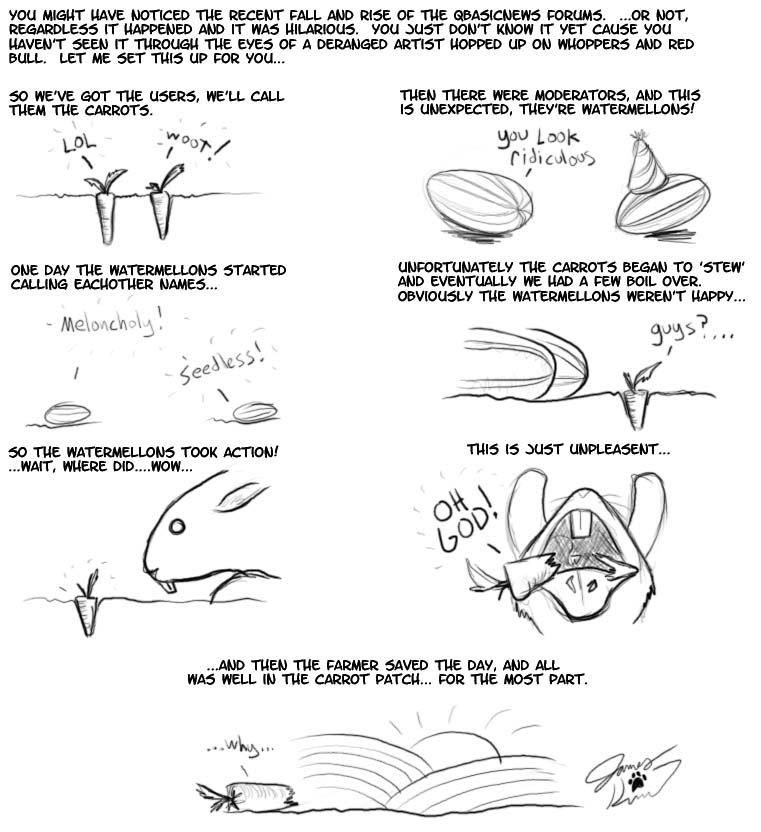
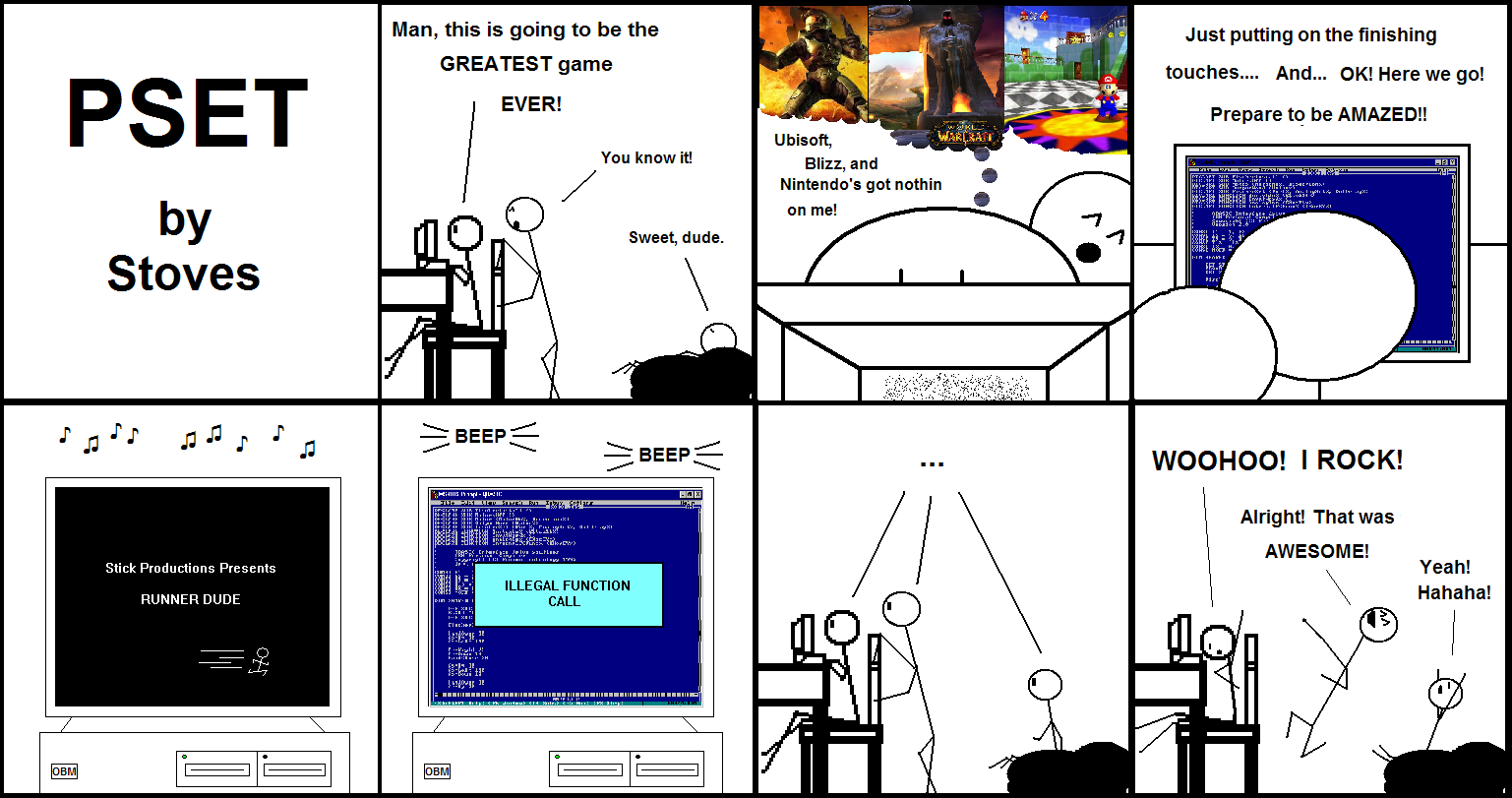
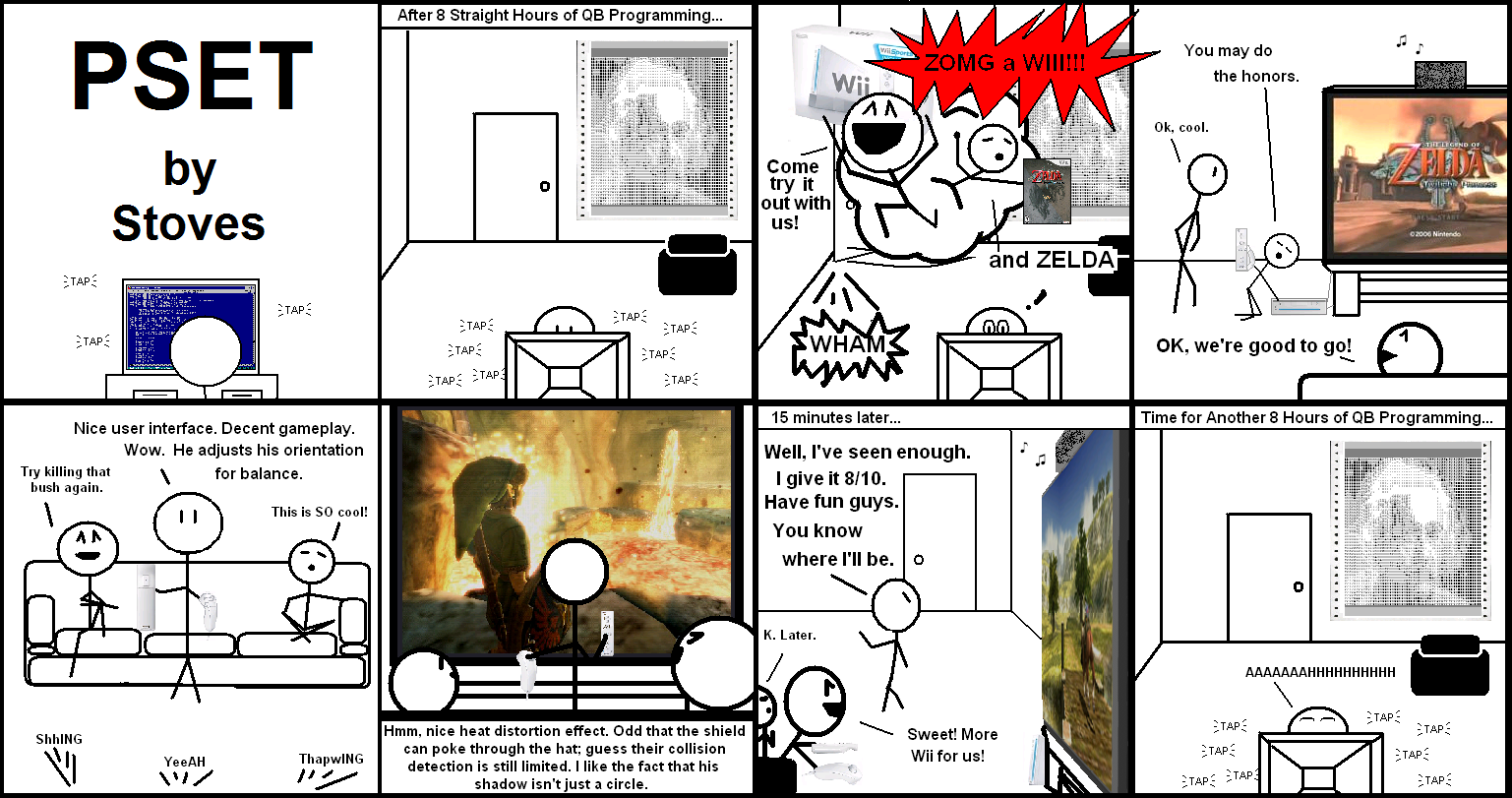
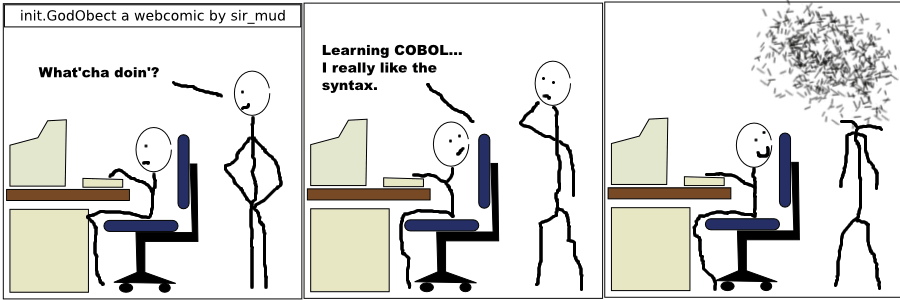
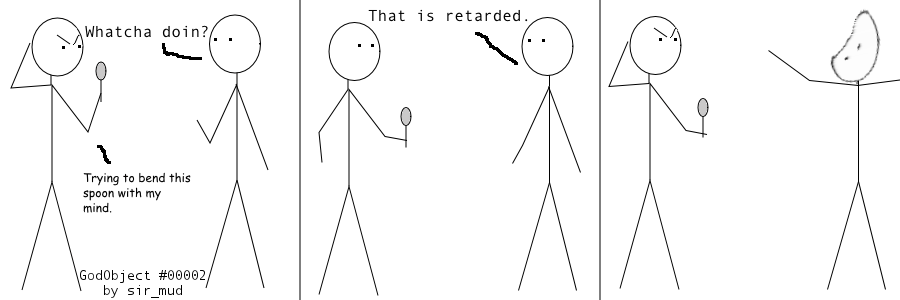
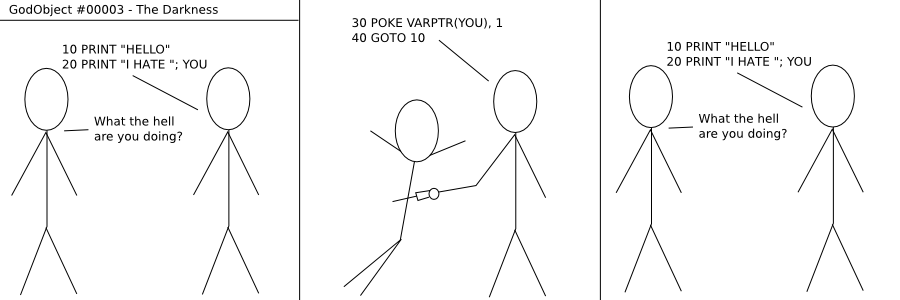
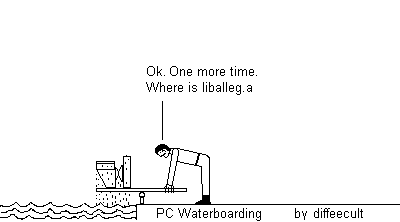
This issue, we have godObject Comics from sir_mud, PSET comics from Stoves, "QBN Rise and Fall" by James Kinney and a comic from diffeecult.

Click comics to view them full-size (will open in a new window).


"Rise and Fall of QBasic News" by James Kinney


PSET by Stoves

PSET Episode 1

PSET Episode 2

GodObject Comics by sir_mud

godObject 0001

godObject 0002

godObject 0003

Comic by diffeecult

PC Waterboarding

If you'd like to submit a programming-related comic, send it to: qbexpress@gmail.com!


Angles in 2D environment and artificial smarts based on them

Written by Lachie Dazdarian (July, 2007)

Introduction

I'm this dummy level tutorial I'll try to teach you how to retrieve an angle between two objects in a 2D environment, and then use this angle to create fun artificial smarts which can, for example, follow around the screen a circle you control. All this can on another level be used in various top-down games that feature 360 degrees rotation to tell enemy CPU controlled objects to react on the player on various ways (attack, run away, hit & run, etc.).

You could describe this as a more smart way of telling one object to follow another than using x and y pixel distances. The method with x and y distances can be sufficient to some extent, but you'll most likely find it crude and limited.

To extend the scope of the tutorial, in the second part of it I'll add to player the ability to shoot projectiles and destroy the circles that follow him. This will illustrate how projectiles shot with an angle should be managed, and we'll repeat some stuff from my "How To Program A Game With FreeBASIC - Lesson #2" tutorial.

The code was written in FreeBASIC ver.0.18 and compiles with –lang fb (should be fully compatible with FreeBASIC ver.0.17).

Part One

We’ll work in the Cartesian coordinate system, system used to determine each point uniquely in a plane through two numbers, usually called the x-coordinate and the y-coordinate of the point. This is a given coordinate system with most programming languages as it results from the nature of computer monitors (stop laughing). For any other coordinate system, like polar, we would have to create it first from the Cartesian coordinate system. I still didn’t work in any other coordinate system so can’t tell you in what kind of 2D games they can be useful.

Some basic trigonometry knowledge will help a lot in understanding this tutorial.

Let's first start by declaring variables we'll need in our example program.

' We include FreeBASIC's built-in library and allow
' the usage of its additional constants and functions
' with Using FB.
#include "fbgfx.bi"
Using FB

' We set some needed constants.
const fpslimit = 60
const FALSE = 0
const TRUE = 1
const PI = 3.141593

' We declare the needed variables.
DIM SHARED workpage AS INTEGER

' The following 3 variables are used for
' frames per second control.
DIM SHARED st AS DOUBLE
DIM SHARED frameintvl As Double = 1.0/fpslimit
DIM SHARED sleepintvl As Integer

DIM SHARED angledeg AS INTEGER  ' Main object's angle in degrees
DIM SHARED anglerad AS SINGLE   ' Main object's angle in radians
DIM SHARED mainx AS SINGLE      ' Main object's x pos
DIM SHARED mainy AS SINGLE      ' Main object's y pos
DIM SHARED mainspeed AS SINGLE      ' Main object's speed
DIM SHARED main_rotationspeed AS SINGLE ' Main object's rotation speed
DIM SHARED resultangledeg AS INTEGER ' Angle between the cpu cont. object and main object in degrees
DIM SHARED resultanglerad AS SINGLE  ' Angle between the cpu cont. object and main object in radians
DIM SHARED CPUobjectx AS SINGLE    ' CPU controlled object's x pos
DIM SHARED CPUobjecty AS SINGLE    ' CPU controlled object's y pos
DIM SHARED CPUobj_angledeg AS INTEGER ' CPU controlled object's angle in degrees
DIM SHARED CPUobj_anglerad AS SINGLE  ' CPU controlled object's angle in radians
DIM SHARED CPUobject_rotationspeed AS SINGLE ' Rotation speed of the CPU controlled object
DIM SHARED CPUobjectspeed AS SINGLE ' CPU controlled object's speed
DIM SHARED ASmode AS INTEGER ' artificial smarts control (on/off)

I think the comments explain most of it, with FPS control variables and the FB’s built-in graphics library initiation not belonging to the topic of this tutorial, but are something you should take a note of. It's quite obvious we'll need variables to store x and y positions of our two objects, their current angles in degrees (0 to 360) and radians (0 to 2*PI), their speeds, variables for the result angle (angle between the two objects), and a help variable that allows us to turn on/off the artificial smarts. Objects' positions and angles in radians should be declared with SINGLE or DOUBLE precision.

Constants for FALSE and TRUE you should declare always, and the PI constant too when using angles in your project.

After declaring all the variables we need, we should initiate our screen and variables' initial values.

' We set our screen to 640 width, 480 height, 32 color bit-depth,
' 2 work pages and full screen.
SCREENRES 640, 480, 32, 2, GFX_FULLSCREEN

' We set the initial values for the main object's
' and CPU controlled object's positions/angles/speeds.
mainx = 320
mainy = 220
mainspeed = 4
main_rotationspeed = 3
angledeg = 0
CPUobjectx = 200
CPUobjecty = 200
CPUobj_angledeg = 20
CPUobj_anglerad = (CPUobj_angledeg*PI)/180
CPUobject_rotationspeed = 3
CPUobjectspeed = 2
ASMode = TRUE

Everything clear here. Note how computer object's angle is converted from degrees to radians. We need this value in radians because radians are used with the FreeBASIC's SIN and COS functions (later in the tutorial).

From Wikipedia:

One radian is the angle subtended at the center of a circle by an arc of circumference that is equal in length to the radius of the circle. It equals to 180/PI degrees, or about 57.2958 degrees. In calculus and most other branches of mathematics beyond practical geometry, angles are universally measured in radians. One important reason is that results involving trigonometric functions are simple and "natural" when the function's argument is expressed in radians.
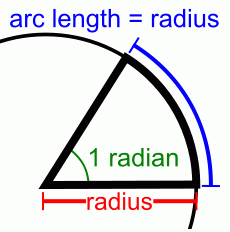


In most mathematical work beyond practical geometry, angles are typically measured in radians rather than degrees. This is for a variety of reasons; for example, the trigonometric functions have simpler and more "natural" properties when their arguments are expressed in radians. These considerations outweigh the convenient divisibility of the number 360. One complete circle (360°) is equal to 2*PI radians, so 180° is equal to PI radians, or equivalently, the degree is a mathematical constant ° = PI/180.



Now let's create a standard DO...LOOP where our program will be happening.

' Your average do loop.
DO
    
st = Timer ' Record the current time into st variable
           ' (used to limit FPS; no related to the
           ' topic of the example program).
  
screenlock ' Lock our screen (nothing will be
           ' displayed until we unlock the screen).
screenset workpage, workpage xor 1 ' Swap work pages.

CLS ' Clear the screen

workpage xor = 1 ' Swap work pages.
screenunlock ' Unlock the page to display what has been drawn.

' Keep the FPS value within fpslimit (set above).
sleepintvl = Cint((st + frameintvl - Timer)*1000.0)
If sleepintvl>1 Then
  Sleep sleepintvl
end if

LOOP UNTIL MULTIKEY(SC_ESCAPE) ' Do loop until ESC is pressed.

Let's now draw few circles that will represent our objects, and lines that will represent their direction. Put this above workpage xor 1.

' We draw our objects (represented with small circles) and
' lines that emulate these objects' directions.
LINE (CPUobjectx, CPUobjecty)-(CPUobjectx+sin(CPUobj_anglerad)*20,CPUobjecty-cos(CPUobj_anglerad)*20), RGB(2,117, 250)
CIRCLE (CPUobjectx, CPUobjecty), 3, RGB(2,117, 250)
LINE (mainx, mainy)-(mainx+sin(anglerad)*20,mainy-cos(anglerad)*20), RGB(200, 0, 0)
CIRCLE (mainx, mainy), 3, RGB(200, 0, 0)

Why adding SIN * object's_angle * 20 to X coordinate?

Allow me to post few pictures now that will help us to clear few things up.


Picture 1


Picture 2


If you refer to picture 1 and 2 above, you'll note that a in our system (system where 0 degrees is a vertical line going from bottom to top) is delta x (x2 - x1), and a is c * sin alfa, c representing the length of our line (or shortest distance from the point of origin - center of the object in our case). With y the situation is the same, only we use COS and we need to deduct it because in FreeBASIC the positive direction of the y axis goes from top to bottom. So COS * object's_angle in our system equals -(COS * object's_angle) in the default BASIC coordinate system. You can choose to work in the default BASIC coordinate system, but then your 0 degrees will be rotated by +PI (where 180 degrees is on the picture above). Anyway, I chose to work with the standard axis directions because they are burned into my brain from school. I find it less frustrating to make these corrections than accepting the inverted direction of the y axis.

Before all, we need to find a way how to retrieve the angle between our two objects. We have their coordinates, x and y, and from these coordinates we can calculate the distances between the two objects vertically and horizontally. To get the angle we'll use the arctangent function (ATAN2 (delta y, delta x) in FreeBASIC) which retrieves an angle from objects' distances vertically over objects' distances horizontally (delta y / delta x). Use the following lines to get alfa 2 (picture 1). Put this in the DO...LOOP before CLS:

resultanglerad = ATAN2((-1)*(mainy-CPUobjecty),(mainx-CPUobjectx))
resultanglerad = PI/2 - resultanglerad
IF resultanglerad < 0 THEN resultanglerad = resultanglerad + 2*PI 

Think of CPUobjectx, CPUObjecty as of x1, y1 and mainx, mainy as of x2, y2. We need to multiply delta y with -1 because of the mentioned difference in the direction of the y axis, and since we need alfa 1 and not alfa 2 we deduct alfa 2 from PI/2 (90 degrees) to get alfa 1. Check picture 1 again. The third line in the code keeps our angle within 0 to 2*PI scope (full circle), to keep things clear (negative angles confuse)

That's one way of doing it. To get alfa 1 directly, we can to this:

resultanglerad = ATAN2((mainx-CPUobjectx), (CPUobjecty-mainy))
IF resultanglerad < 0 THEN resultanglerad = resultanglerad + 2*PI 

This code does the compensation for the difference in the direction of the y axis, and for the fact our angle starts vertically from bottom to top (we replaced the positions of delta x and delta y in the function).

What ever you chose, it will work. Using the ATN function is more cumbersome and requires a more complex formula to retrieve the angle properly. Thus, I'm using ATAN2.

We also need to convert the calculated angle from radians to degrees so we can use its value in degrees with the artificial smart algorithm (it simplifies the code):

resultangledeg = (resultanglerad*180)/PI

After we found a way to retrieve the angle between our two objects, let's add some control for our player. We'll use left/right arrow key for angle change (rotation), and up arrow key for thrust.

' The control keys for the main (player's) object.
IF MULTIKEY(SC_LEFT) THEN angledeg = angledeg - main_rotationspeed
IF MULTIKEY(SC_RIGHT) THEN angledeg = angledeg + main_rotationspeed
' The following lines keep the angle between
' 0 and 360.
IF angledeg<0 THEN angledeg=angledeg+360
IF angledeg>359 THEN angledeg=angledeg-360
anglerad = (angledeg*PI)/180 ' Convert the angle from degrees to radians
IF MULTIKEY(SC_UP) THEN 
mainx = mainx + sin(anglerad)*mainspeed
mainy = mainy - cos(anglerad)*mainspeed
END IF

' For turning AS on/off.
IF MULTIKEY(SC_1) THEN ASMode = TRUE
IF MULTIKEY(SC_2) THEN ASMode = FALSE

Note how the position of the main object is changed when the user presses the up arrow key. In each loop the object's x position is changed by the SIN of its current angle times its speed (picture 1 again), while the y position is changed by the COS of its current angle times its speed (deduced for the reasons explained above).

The last two statements are for turning on/off the artifical smart.

The entire source so far: codever1.txt

If you compile this you'll be able to move your object (red color), but the sky blue computer controlled object will just sit there since we didn't implemented any artificial smart algorithm.

So we need to tell our computer controlled object to rotate toward the player and move constantly. No problem! First, let's solve the rotation. Rotation will be handled like this. First, we have the angle between the computer controlled object and the player, and the current angle of the computer controlled object. By comparing these two angles and checking which rotation (clockwise or counter-clockwise) is of shorter distance for computer controlled object's angle to equalize with the result angle (angle between the two objects), we'll say to our computer controlled object to rotate in one or the other direction. Just observe the following code:

' If ASMode is true apply the artificial smart code on the CPU controlled object
IF ASMode = TRUE THEN
    ' If the CPU controled object's angle is larger than the
    ' result angle (angle between the CPU object and player's object)...
    IF CPUobj_angledeg > resultangledeg THEN
        ' If the difference between the current angle of the
        ' CPU controlled object and the result angle going
        ' counter-clockwise is less than this difference
        ' clockwise, rotate the CPU object counter-clockwise
        IF (360-CPUobj_angledeg+resultangledeg) >= (CPUobj_angledeg-resultangledeg) THEN CPUobj_angledeg = CPUobj_angledeg - CPUobject_rotationspeed
        ' If the difference between the current angle of the
        ' CPU controlled object and the result angle going
        ' clockwise is less that this difference counter-clockwise,
        ' rotate the CPU object clockwise
        IF (360-CPUobj_angledeg+resultangledeg) < (CPUobj_angledeg-resultangledeg) THEN CPUobj_angledeg = CPUobj_angledeg + CPUobject_rotationspeed
    END IF
    ' Same as above but for situation when CPU object's angle is
    ' less that the result angle.
    IF CPUobj_angledeg < resultangledeg THEN
        IF (360-resultangledeg+CPUobj_angledeg) >= (resultangledeg-CPUobj_angledeg) THEN CPUobj_angledeg = CPUobj_angledeg + CPUobject_rotationspeed
        IF (360-resultangledeg+CPUobj_angledeg) < (resultangledeg-CPUobj_angledeg) THEN CPUobj_angledeg = CPUobj_angledeg - CPUobject_rotationspeed
    END IF
    ' The following lines keep the CPU object's angle within
    ' 0 to 360 degrees area.
    IF CPUobj_angledeg<0 THEN CPUobj_angledeg=CPUobj_angledeg+360
    IF CPUobj_angledeg>359 THEN CPUobj_angledeg=CPUobj_angledeg-360
    ' Convert the CPU object's angle from degrees to radians.
    CPUobj_anglerad = (CPUobj_angledeg*PI)/180
    ' Move the CPU object according to angle and speed
    ' (note how SIN and COS functions are used).
    ' Since positive y axis goes down in FB, we need to reduce
    ' the y position of the object by the COS function and not add 
    ' it as in normal Cartesian coordinate system.
    CPUobjectx = CPUobjectx + sin(CPUobj_anglerad)*CPUobjectspeed
    CPUobjecty = CPUobjecty - cos(CPUobj_anglerad)*CPUobjectspeed
END IF

The formulas for calculating the shorter distance to reach resultangle from one or the other direction might confuse you, but they are really simple. For example, let's say computer controlled object's angle is 275 ° and the angle between the two objects is 25 °.

First condition...

275 > 25 --> CPUobj_angledeg > resultangledeg

It's obvious that...

360 - 275 + 25 --> 360 - CPUobj_angledeg + resultangledeg (distance clockwise from CPUobj_angledeg to resultangle)

...is less than...

275 - 25 --> CPUobj_angledeg - resultangledeg (distance counter-clockwise from CPUobj_angledeg to resultangle)

...so we need to increase the angle (clockwise rotation) until it reaches 25 °. When the angle exceeds 360 ° during this increasing, it jumps back to 360 - CPUobj_angledeg (which is above 360 °).

Movement is done like with the player, but in this example we'll tell the computer controlled object to move constantly. Since the computer controlled object will be always rotating toward the player, the effect will be satisfactory. Perhaps in the second edition of this tutorial I can show you how to use different AS modes for one object so it wouldn't behave the same way ALL the time.

ASMode variable is used to turn on/off the movement of the computer controlled object and it only serves a purpose in this example program. Still, this kind of variable might come in handy during development of a game, allowing you to position player's object on any location near the computer controlled object in order to test its behavior in various situations.

Put the last piece of code after the resultangle calculation, compile it, and test it. Neat, eh?

For the very end of the first part of this tutorial, add the following lines in the code after CLS to make it all look more informative:

' We draw an help Cartesian coordinate system.
LINE (50, 80)-(110,80), RGB(255,255,255)
LINE (80, 50)-(80,110), RGB(255,255,255)
Draw String (77,40), "0", RGB(0, 176, 214)
Draw String (69,114), "180", RGB(0, 176, 214)
Draw String (114,76), "90", RGB(0, 176, 214)
Draw String (23,76), "270", RGB(0, 176, 214)

Draw String (12,200), "1 - AI On", RGB(0, 176, 214)
Draw String (12,210), "2 - AI Off", RGB(0, 176, 214)

' We display some useful textual information.
Draw String (320,10), "Main object's angle:"+STR$(angledeg), RGB(2,117, 190)
Draw String (320,20), "Computer controlled object's angle:"+STR$(CPUobj_angledeg), RGB(2,117, 190)
Draw String (320,30), "Angle between objects:"+STR$(resultangledeg), RGB(2,117, 190)

The entire code so far: codever2.txt

Screenshot of the result:

Compile the last source and enjoy. You can play with the rotation speed of the computer controlled object if curious.

Now let's move on.

Part Two

In the second part of this tutorial we'll add multiple objects and ability to player to shoot projectiles. Buckle up!

As I did in my second edition of "How To Program A Game With FreeBASIC" (QB Express #20), we'll declare computer controlled objects as an array, with each element in the array representing one single object. With each program start, computer controlled objects' positions will be randomized.

For this section, just read the tutorial. The old code will be tumbled up and down a lot, so it's best for you compile the entire source when I provide it later.

First, we will change the way we declare computer controlled objects. We'll use a custom defined type (check my other tutorial, previously mentioned).

After constants declarations we need to have this code:

TYPE ObjType
X             AS SINGLE   ' Used to flag object's x position.
Y             AS SINGLE   ' Used to flag object's y position.
AngleDeg      AS INTEGER  ' Used to flag object's angle in degrees.
AngleRad      AS SINGLE   ' Used to flag object's angle in radians.
Speed         AS SINGLE   ' Used to flag object's speed.
RotationSpeed AS SINGLE   ' Used to flag object's rotation speed
Active        AS INTEGER  ' Used to flag object's status
ActiveTime    AS INTEGER  ' Use to expire object's activity (once we activate it).
Typ    AS INTEGER         ' Used to flag type of the object (if we want to
                          ' have more kinds of the same object -> different
                          ' ships, projectiles, etc.).
END TYPE

It contains all variables our computer controlled objects need, and what later projectiles will need to be managed.

After this we need to declare our computer controlled objects with:

DIM SHARED CPUobject(numofCPUobjects) AS ObjType

numofCPUobjects needs to be declared before as a variable or a constant. numofCPUobjects will represent the maximum number of computer controlled objects that can be active in a single moment, and it's good to declare it as a constant or a variable so we can change our program parameters easily. I've set it to 20.

We must initiate the positions of the computer controlled objects and their speeds like we did before with a single computer controlled object. This is done with the following code:

' Get the random seed from the seconds past midnight (the
' best way to get random numbers).
RANDOMIZE TIMER

FOR initCPUobj AS INTEGER = 1 TO numofCPUobjects
    CPUobject(initCPUobj).X = INT(RND * 600) + 20 ' Randomize cpu object's position from 20 to 620
    CPUobject(initCPUobj).Y = INT(RND * 440) + 20 ' Randomize cpu object's position from 20 to 460
    CPUobject(initCPUobj).AngleDeg = INT(RND * 360) + 1 ' Randomize cpu object's angle from 1 to 360
    CPUobject(initCPUobj).AngleRad = (CPUobject(initCPUobj).AngleDeg*PI)/180
    CPUobject(initCPUobj).RotationSpeed = INT(RND * 2) + 2 ' Randomize cpu object's rotation speed from 2 to 3
    CPUobject(initCPUobj).Speed = INT(RND * 3) + 1 ' Randomize cpu object's rotation speed from 1 to 3
    CPUobject(initCPUobj).Active = TRUE ' All object active (alive) by default.
NEXT initCPUobj

We loop hrough our objects and randomize their positions, regular and rotation speeds (to get a better effect since all objects won't move and rotate with the same speeds).

The whole phylosophy after this is in altering the artificial smart code and computer controlled objects' drawing code so if would draw and move all the computer controlled objects.

Observe the following code:

FOR countCPUobj AS INTEGER = 1 TO numofCPUobjects ' Loop through all the objects
    
    ' If ASMode is true apply the artificial smart code on the current CPU controlled object
    IF ASMode = TRUE THEN
        
        ' The following lines calculate the angle of direction
        ' from the current controlled object toward the main object.
        resultanglerad = ATAN2((-1)*(mainy-CPUobject(countCPUobj).Y),(mainx-CPUobject(countCPUobj).X))
        resultanglerad = PI/2 - resultanglerad
        IF resultanglerad < 0 THEN resultanglerad = resultanglerad + 2*PI 
        
        ' The following line converts the result angle between the
        ' two objects from radians to degrees.
        resultangledeg = (resultanglerad*180)/PI
        
        ' If the CPU controled object's angle is larger than the
        ' result angle (angle between the CPU object and player's object)...
        IF CPUobject(countCPUobj).AngleDeg > resultangledeg THEN
            ' If the difference between the current angle of the
            ' CPU controlled object and the result angle going
            ' counter-clockwise is less than this difference
            ' clockwise, rotate the CPU object counter-clockwise
            IF (360-CPUobject(countCPUobj).AngleDeg+resultangledeg) >= (CPUobject(countCPUobj).AngleDeg-resultangledeg) THEN CPUobject(countCPUobj).AngleDeg = CPUobject(countCPUobj).AngleDeg - CPUobject(countCPUobj).RotationSpeed
            ' If the difference between the current angle of the
            ' CPU controlled object and the result angle going
            ' clockwise is less that this difference counter-clockwise,
            ' rotate the CPU object clockwise
            IF (360-CPUobject(countCPUobj).AngleDeg+resultangledeg) < (CPUobject(countCPUobj).AngleDeg-resultangledeg) THEN CPUobject(countCPUobj).AngleDeg = CPUobject(countCPUobj).AngleDeg + CPUobject(countCPUobj).RotationSpeed
        END IF
        ' Same as above but for situation when CPU object's angle is
        ' less that the result angle.
        IF CPUobject(countCPUobj).AngleDeg < resultangledeg THEN
            IF (360-resultangledeg+CPUobject(countCPUobj).AngleDeg) >= (resultangledeg-CPUobject(countCPUobj).AngleDeg) THEN CPUobject(countCPUobj).AngleDeg = CPUobject(countCPUobj).AngleDeg + CPUobject(countCPUobj).RotationSpeed
            IF (360-resultangledeg+CPUobject(countCPUobj).AngleDeg) < (resultangledeg-CPUobject(countCPUobj).AngleDeg) THEN CPUobject(countCPUobj).AngleDeg = CPUobject(countCPUobj).AngleDeg - CPUobject(countCPUobj).RotationSpeed
        END IF
        ' The following lines keep the current CPU object's angle within
        ' 0 to 360 degrees area.
        IF CPUobject(countCPUobj).AngleDeg<0 THEN CPUobject(countCPUobj).AngleDeg=CPUobject(countCPUobj).AngleDeg+360
        IF CPUobject(countCPUobj).AngleDeg>359 THEN CPUobject(countCPUobj).AngleDeg=CPUobject(countCPUobj).AngleDeg-360
        ' Convert the CPU object's angle from degrees to radians.
        CPUobject(countCPUobj).AngleRad = (CPUobject(countCPUobj).AngleDeg*PI)/180
        ' Move the current CPU object according to angle and speed
        ' (note how SIN and COS functions are used).
        ' Since positive y axis goes down in FB, we need to reduce
        ' the y position of the object by the COS function and not add 
        ' it as in normal Cartesian coordinate system.
        CPUobject(countCPUobj).X = CPUobject(countCPUobj).X + sin(CPUobject(countCPUobj).AngleRad)*CPUobject(countCPUobj).Speed
        CPUobject(countCPUobj).Y = CPUobject(countCPUobj).Y - cos(CPUobject(countCPUobj).AngleRad)*CPUobject(countCPUobj).Speed
        
    END IF

    ' We draw the current computer controlled object if active (alive).
    IF CPUobject(countCPUobj).Active = TRUE THEN
        LINE (CPUobject(countCPUobj).X, CPUobject(countCPUobj).Y)-(CPUobject(countCPUobj).X+sin(CPUobject(countCPUobj).AngleRad)*20,CPUobject(countCPUobj).Y-cos(CPUobject(countCPUobj).AngleRad)*20), RGB(2,117, 250)
        CIRCLE (CPUobject(countCPUobj).X, CPUobject(countCPUobj).Y), 3, RGB(2,117, 250)
    END IF
    
NEXT countCPUobj

The code is identical to that where a single computer controlled object is present, only now, like with variable initiation, we loop through all the computer controlled objects, check their angle with the main object, and rotate them accordingly. Drawing of the computer controlled objects also had to be placed in the FOR loop.

The entire code so far: codever3.txt

Few things are left to be done. First, let's implement projectiles. This was covered in my other tutorial (QB Expresse #20), but no harm in repeating some of the stuff.

For contolling projectiles we'll use ObjType custom defined type.

Projectiles will be declared with:

DIM SHARED Projectile(numofprojectiles) AS ObjType

Where numofprojectiles will be declared earlier as a constant or a variable, representing the maximum number of projectile that can be active simultaneously. I've set it to 50.

We should now construct a subroutine that will initiate a new projectile. I named it InitiateProjectile and constructed it like this:

SUB InitiateProjectile (px AS SINGLE, py AS SINGLE, pangle AS SINGLE, ptyp AS INTEGER)

' We loop through our projectiles looking for a free one (never used
' before or expired -> ActiveTime = 0).
FOR initproj AS INTEGER = 1 TO numofprojectiles
    
    ' When a free projectile is found we set its position, type,
    ' life time (ActiveTime = 30 -> 30 loops) and angle. After this
    ' the subroutine is exited so that a next free projectile wouldn't
    ' be initiated too.
    IF Projectile(initproj).ActiveTime = 0 THEN
        Projectile(initproj).X = px
        Projectile(initproj).Y = py
        Projectile(initproj).AngleRad = pangle
        Projectile(initproj).Typ = ptyp
        ' According to given projectile's type we can
        ' set other projectile's characteristics.
        ' In this program we'll only set projectile's
        ' speed according to its type.
        
        ' Projectile type 1 will and should only be used
        ' with the main player since we added a condition
        ' that the projectile's speed will be increased
        ' by the main object's speed if it is moving.
        IF Projectile(initproj).Typ = 1 THEN 
            Projectile(initproj).Speed = 5
            IF MULTIKEY(SC_UP) THEN Projectile(initproj).Speed =  Projectile(initproj).Speed + mainspeed
        END IF
        Projectile(initproj).ActiveTime = 80
        EXIT SUB
    END IF
    
NEXT initproj
 
END SUB

If you read my previous tutorials this should be clear. An projectile is initiated with:


InitiateProjectile start_x_position, start_y_position, projectiles_angle, projectile_type

...with the sections shown filled properly.

Inside the sub program goes through the projectiles, looks for an inactive one (ActiveTime = 0). When a "free" projectle is found, its values are set according to values inputted when the sub is called. After this the sub is exited so that another free projectile wouldn't be initiated in the same manner.

This sub should be declared after constants declarations with:


DECLARE SUB InitiateProjectile (px AS SINGLE, py AS SINGLE, pangle AS SINGLE, ptyp AS INTEGER)

The second sub we need is the one that moves and draws activated projectiles. Just observe the following code:

SUB DrawProjectiles ()
    
FOR countproj AS INTEGER = 1 TO numofprojectiles
    
    ' We loop through our projectiles and if an active one is
    ' found, we move and draw it.
    IF Projectile(countproj).ActiveTime > 0 THEN
    
        ' The next line is used to expire the projectile so it wouldn't
        ' be active infinitely. We can do this on different ways, like
        ' by deactivating an object once it passes the edge of screen.
        ' Still, this is a very handy way of setting the "life time" of an object.
        Projectile(countproj).ActiveTime = Projectile(countproj).ActiveTime - 1
        
        ' Projectiles are moved just like the main and computer controlled
        ' objects.
        Projectile(countproj).X = Projectile(countproj).X + sin(Projectile(countproj).AngleRad)*Projectile(countproj).Speed
        Projectile(countproj).Y = Projectile(countproj).Y - cos(Projectile(countproj).AngleRad)*Projectile(countproj).Speed
        
        ' According to projectile type, we draw it.
        IF Projectile(countproj).Typ = 1 THEN
            LINE (Projectile(countproj).X, Projectile(countproj).Y)-(Projectile(countproj).X+sin(Projectile(countproj).Anglerad)*3,Projectile(countproj).Y-cos(Projectile(countproj).AngleRad)*3), RGB(192, 192, 0)
        END IF
        
    END IF
    
NEXT countproj
    
END SUB

The comments explain most of it. Only active objects are managed (ActiveTime > 0), the movement is done like with the main and computer controlled objects, and drawing is done according to projectile's type. Since we only have one type of projectiles in our example program, the use of that IF clause doesn't seem much logical, but will most likely be in a proper game where more kinds of projectiles (weapons) are used.

Above the last "END IF", inside the countproj FOR loop, we should add this code:

FOR colcheckobj AS INTEGER = 1 TO numofCPUobjects
           
      ' If the current projectiles is less that 4 pixels horizontally
      ' and vertically to an computer controlled object, diactivate
      ' that object and the projectile.
      IF (CPUObject(colcheckobj).Active = TRUE AND ABS(CPUObject(colcheckobj).X-Projectile(countproj).X) < 5 AND ABS(CPUObject(colcheckobj).Y-Projectile(countproj).Y) < 5) THEN
            ' Initiate some explosions (once you implement an explosion layer)
            ' Add score to player
            ' Etc.
            CPUObject(colcheckobj).Active = FALSE
            Projectile(countproj).ActiveTime = 0
      END IF
        
NEXT colcheckobj

This FOR loop goes through all the active (alive) computer controlled objects, checks for pixel distances between that object and the current projectile, and if the distance is less than 5 pixels horizontally and vertically, the computer controlled objects is deactivated (killed), as well as the projectile (since it exploded, right?).

This sub should be declared after the constants with:

DECLARE SUB DrawProjectiles ()

For the "object killing" to work, we need to place computer controlled objects drawing inside and IF clause that will draw them only if they are active. Like this (alter the countCPUobj FOR loop):

IF CPUobject(countCPUobj).Active = TRUE THEN
        LINE (CPUobject(countCPUobj).X, CPUobject(countCPUobj).Y)-(CPUobject(countCPUobj).X+sin(CPUobject(countCPUobj).AngleRad)*20,CPUobject(countCPUobj).Y-cos(CPUobject(countCPUobj).AngleRad)*20), RGB(2,117, 250)
        CIRCLE (CPUobject(countCPUobj).X, CPUobject(countCPUobj).Y), 3, RGB(2,117, 250)
END IF

The last thing that needs to be done is projectile initiation. A projectile will be initiated when the user presses SPACE. I recommend some other key for you, since SPACE doesn't work well with arrow keys (it's not always registered). I've been told this can't be fixed.

Put this code after the other main object's movement control code:

IF MULTIKEY(SC_SPACE) AND main_reload = 0 THEN
main_reload = 10
' The next line initiates a new projectile from the
' top of the main object's direction line, with the
' current main object angle, and using projectile
' type 1.
InitiateProjectile mainx+sin(anglerad)*20,mainy-cos(anglerad)*20, anglerad, 1
END IF
IF main_reload > 0 THEN main_reload = main_reload - 1

Observe how a new projectile is initiated from the top of the main object's direction line (the SIN and COS stuff), and with the main object's current angle (anglerad). What is the purpose of the main_reload variable? It's used to "time" the max ratio of auto-fire. When the user holds the fire key, a new projectile will only be fired every 10 loops since with every projectile initiation main_reload is set to 10, and a new projectile can be fired only when main_reload is 0. We need to add a line that reduces main_reload in every loop by 1, as I did it in the code above. Be sure to declare main_reload as a SHARED INTEGER variable, like it's done with other variables.

The entire code so far: codever4.txt

Compile it and enjoy.

Screenshot of the result:

And that's it for this tutorial. I hope you learned something useful and can expand on this tutorial with your own ideas and tricks.

The example programs with single and multiple computer controlled object's in source and compiled can be found here: dealing_with_angles_examples.zip

Mini-game from the "How To Program A Game With FreeBASIC - Lesson #2" tutorial compiled and with source for FreeBASIC ver.0.17: mini_game_FB017.zip


For the next tutorial I plan to add this:

I'm excited. Stay tuned!

A tutorial written by Lachie D. (lachie13@yahoo.com ; The Maker Of Stuff)


Download this tutorial: Dealing_with_angles_tut.zip or dealing_with_angles_2D.html


A Space Trading Sim is born
3D Game programming for beginners

Episode 1: The real world and your flat screen

Written by Kevin R. (August, 2007)

Introduction

Welcome everyone to the first tutorials in this series which is aimed at beginners to 3D programming and maybe to game programming. I know many people (at least 90%) will skip this introduction so I will keep it short. All the code in this text is written for FreeBasic. I will not use any external package or library such as DirectX or OpenGL... That was shocking... No DirectX or OpenGL, so how we gonna produce some 3d graphics??? Simple... with our own FBgfx.

Why would I ignore DirectX or OpenGL and don't use them??? Every game produced nowadays uses them. I can program applications using OpenGL and DirectX, so that's the problem neither. The answer is simple and summarised with one word: understanding.

Understanding the concepts which are working within 3D engines is very important and can make your life much easier. When you write applications with OpenGL and use matrix equation, rotation and shading commands, these commands are black boxes. You know they produce nice graphics, but how they do it is unknown. The big problems arrive when you get a nasty runtime error somewhere in the rendering of your flashy games. Good understanding is important. Besides that, it’s fun to look if your routine is faster than DirectX or OpenGL.

What we are going to do?

In this series I’m planning to do a space trading sim like Elite or some more up-to-date Freelancer. This type of game can easily be separated in little pieces for a tutorial in order that at the end of the series we got an entire game ready and running.

This episode I will explain the conversion from 3D to a 2D screen, the base of an 3d engine. Not very difficult and for some maybe way to easy, but look at the top of the text:
3D game programming for BEGINNERS, so I will start at lowest level possible. Later on in the series I will get to more difficult problems.

Alright, what do we need in random order:

2D and 3D worlds

Alright, what is the difference between 2D and 3D worlds? Or in gamer language, what is the difference between Super Mario and Quake? The answer is again simple: a coordinate. In a 3D world we define a point by 3 coordinates respectively (x, y, z). In 2D we use 2 coordinates (x, y). So we've to find a way to convert a 3D coordinate to a 2D coordinate.

Before we can do that, we have to define the 3D coordinate system. I'm using a right handed system:
z-axis into the screen, y up the screen and x positive to the right. This is called a right handed system because when you point your thumb of your right hand to the screen, your four fingers point to the direction of positive rotation. This sounds like hocus-pocus right know, I know... But I will explain it later in a tutorial on rotations. For now just assume z into the screen, y upwards and x to the right, OK?

Well, that's done. Now take a good look at the screen in front of you. It is flat. How we are going to simulate a 3D effect on this screen? The screen has only x and y coordinates, so we need a conversion which is depending on the z-coordinate. Could it be so easy...? Well actually it is... Look at it this way: a point is defined as (x,y,z). We can multiply this point by a constant.

constant * (x, y, z)

What value must this constant have in order to make the formula depending on z but staying in a 2D plane? Again simple:


constant = 1 / z because (1 / z) * (x, y, z) = (x / z, y / z, 1) 

As you see x and y are variable but the z coordinate always equals 1 thus for all z only x and y can vary, but the plane remains the same.

So we are working currently at the plane z = 1. If we want to change this plane, to make it further away or closer by we simply change the constant a little:

constant = b / z

Where b can be every value. With b you can adjust the perspective. Usually values like 128, 256 or 512 are used for b, but I encourage you to experiment with this value to achieve a desired effect or view. From here on b is called the scale.

The transformation can now be done with:

x2d = x3d * Scale / z3d + (screen width / 2)
y2d = y3d * Scale / z3d + (screen height / 2)

First one note to the transformation formulas. The first runtime error which can occur and is sometimes hard to find is the division by zero: If z3d equals zero we get and error so be careful. Second note is the screen height and screen width used in the formulas. It's common in 3D engines to use the middle point of the screen as the origin. So if you are using a 640 x 480 resolution the origin lies at (320, 240) which is (0,0,z) in 3D.

I know that the information above looks simple at a first glance, but I bet (and I was one too) that you have to think hard to understand the concept. Therefore I present to you all: Some source code!!!

' Screen dimensions of mode 13
Const SCRN_X = 320
Const SCRN_Y = 200

Type Point3D
	x As Integer
	y As Integer
	z As Integer
End Type

Type Point2D
	x As Integer
	y As Integer
End Type

Dim p3d As Point3D	' 3D point
Dim p2d As Point2D	' 2D point
Dim Scale As Integer	' Perspective variable

' Define perspective
Scale = 256
' Define starting coordinates
p3d.x = 1
p3d.y = 1
p3d.z = 256

' For sake of simplicity i use screen 13 (320 x 200)
' Change for other resolution. (don't forget the constants)
Screen 13

Do While (p2d.x < SCRN_X) and (p2d.x > -1) and (p2d.y < SCRN_Y) and (p2d.y > -1)
	
	' Convert 3d to 2d
	p2d.x = p3d.x * Scale / p3d.z + (SCRN_X / 2)
	p2d.y = p3d.y * Scale / p3d.z + (SCRN_Y / 2)
	' Put pixel
	PSet (p2d.x, p2d.y), 40
	' reduce z and check if z > 0 (no division by zero)
	p3d.z = p3d.z - 1
	If p3d.z = 0 Then p3d.z = -1	
			
Loop 

Do
Loop Until InKey <> ""

Well I think the code above speaks for itself. First two types are created for 2d points and 3d points. Then the perspective is determined as 256. I like this value, but feel free to choose your own. The loop contains only a z decrement and a conversion from 3D to 2D. This code is the base of the 3D starfield which I present to you below. This source is not optimised and if you like you can do that by yourself (a good exercise). Like I said before, this tutorial is for beginners and optimising is a subject that I may treat in one of the last tutorials.

' =-=-=-=-=-=-=-=-=-=-=-=-=-=-=-=-=-=-=-=-=-=-=-=-=-=-=-=-=-=-=-=-=-=-=
'				3D Starfield
'
'				The Flipside
'
' =-=-=-=-=-=-=-=-=-=-=-=-=-=-=-=-=-=-=-=-=-=-=-=-=-=-=-=-=-=-=-=-=-=-=

Declare Sub GenerateStar(index As Integer)

Const MAX_STARS = 500
Const SCRN_WIDTH = 320
Const SCRN_HEIGHT = 200
Const SPEED = 0.015      ' Adjust for different speed

Type Point3D
	x As Integer
	y As Integer
	z As Integer
End Type

Type Point2D
	x As Integer
	y As Integer
End Type

Dim shared Star(0 To (MAX_STARS - 1)) As Point3D
Dim p2d(0 To (MAX_STARS - 1)) As Point2D

Dim i As Integer
Dim Scale As Integer
Dim OldTime As double
Dim TimeDummy As double

' Initialize starfield and variables 
Randomize Timer					' Random seed
For i = 0 To (MAX_STARS - 1)
	GenerateStar(i)				' Create stars!!!
Next

Scale = 256					    ' Perspective

' =-=-=-=-=-= Main Loop =-=-=-=-=-=
Screen 13 ' Screen mode 13, change if you like but don't forget the constants!

Do While Inkey <> Chr(27) ' Loop until esc is pressed
	
	For i = 0 To (MAX_STARS - 1)
		' Delete old star
		PSet (p2d(i).x, p2d(i).y), 0 ' draw a black pixel on old position
		
		' Transformation from 3D to 2D
		' Origin lies in the middle of the screen
		p2d(i).x = star(i).x * Scale / star(i).z + (SCRN_WIDTH / 2)
		p2d(i).y = star(i).y * Scale / star(i).z + (SCRN_HEIGHT / 2)
		
		' Draw star
		PSet (p2d(i).x, p2d(i).y), 15
		
		' reduce z and check if z > 0 (no division by zero)
		star(i).z = star(i).z - 1
	
		If Star(i).z <= 0 Then ' star has passed us, lets create a new one
			GenerateStar(i)
		EndIf 	
			
	Next		
	
	' Some timing code to reduce the speed of the starfield
	' Waiting time = SPEED seconds
	OldTime = Timer
	Do
		TimeDummy = Timer
        SLEEP 1
		' Does nothing but wait. (Old QB way of timing im always using)
		' I know there are better ways, but this works
	Loop Until (TimeDummy - OldTime) >= SPEED 
	
Loop 


Sub GenerateStar(index As Integer)

	' The origin of the screen lies at the middle of the screen.
	' So in case of screen 13 the possible screen coordinates are:
	' -160 to 160, -100 to 100
	' This procedure divides the stars array in four and assign every
	' screen quadrant with it. Sounds complicated?
	' Look at it this way: 
	' The first IF puts one fourth of MAX_STARS in the box constaining
	' the coordinates (0, 0), (100, 160)
	' Then the ElseIf puts stars in the box containing the coordinates
	' (0, 0), (-160, 100)
	' And so on! Get it already???
	' If not change the signs before the (SCRN_WIDTH / 2) or (SCRN_HEIGTH / 2)
	' and see what happens!  
	
	If index < (MAX_STARS / 4) THEN
		Star(index).x = Rnd(1) * (SCRN_WIDTH / 2) + 1
		Star(index).y = Rnd(1) * (SCRN_HEIGHT / 2) + 1 
	ElseIf (index > (MAX_STARS / 4)) And (index < (MAX_STARS / 2)) Then
		Star(index).x = Rnd(1) * -(SCRN_WIDTH / 2) + 1
		Star(index).y = Rnd(1) * (SCRN_HEIGHT / 2) + 1
	ElseIf (index > (MAX_STARS / 2)) And (index < (3 * MAX_STARS / 4)) Then
		Star(index).x = Rnd(1) * (SCRN_WIDTH / 2) + 1
		Star(index).y = Rnd(1) * -(SCRN_HEIGHT / 2) + 1
	ElseIf (index > (3 * MAX_STARS / 4)) And (index < MAX_STARS) Then
		Star(index).x = Rnd(1) * -(SCRN_WIDTH / 2) + 1
		Star(index).y = Rnd(1) * -(SCRN_HEIGHT / 2) + 1
	EndIf			
	Star(index).z = Rnd(1) * 256
		
End Sub

Closing down

Hope you liked this tutorial. I did while writing. I know that not much of true game code and game concepts are explained in this tutorial. That's something I leave to later tutorials. First I’m gonna explain some basic techniques and after that the game elements are introduced. However, don't be disappointed. This will be soon enough.

Some tips for experimenting:


Have fun and see you next time,

The Flipside